 Miskatonic University Press
I used FreeBSD from 1999 to 2009. I liked it a lot. Then I switched to Ubuntu, and many things got a lot easier. FreeBSD’s a great OS, but I liked being able to plug in a printer or USB drive and just have it work.
22 March 2009
Or, this page has ended
I'm moving my web site to Drupal so further FreeBSD stuff will be posted in individual items.
9 December 2008
Or, how I switched to gnome-terminal
A year and a half ago I started using rxvt unicode as my terminal program. I don't know what I had against gnome-terminal, but for some reason when I started using Gnome I didn't take to it.
rxvt-unicode worked well, but lately I was having some trouble with character set encodings and wasn't sure what the problem was. I tried gnome-terminal and was delighted to see there is a Set Character-Encoding option in the menu bar and I could turn on UTF-8 there and everything just worked.
I have this in my .profile:
export LANG=en_CA.UTF-8
gnome-terminal kept thinking I wanted to be in plain ASCII, though. I fixed that by changing my default language in the GDM login window (before logging into GNOME) to Canadian English, and then it all started working right. That's because now the GDM_LANG variable is set:
$ set | grep LANG
GDM_LANG=en_CA.UTF-8
LANG=en_CA.UTF-8
I like the tabs in terminal windows, and that it recognizes URLs and makes them easy to copy. I use the mouse a bit less now. I want to use Ctrl-tab to move between the tabs, like in Firefox, but can't. I consider that a bug.
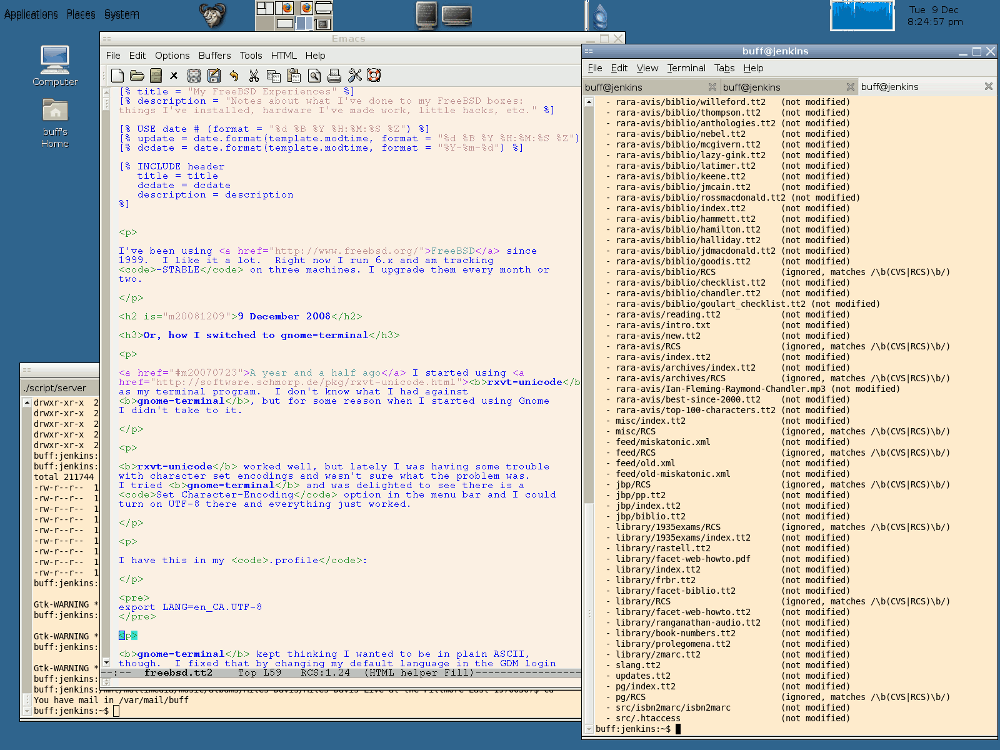
Here's a screenshot of my desktop as I write this.
1 December 2008
Or, how I dropped to just one FreeBSD machine
I used to use FreeBSD on a laptop, but I bought an Eee (model 701). I put a gig of RAM into it and put Ubuntu Eee on it. I love it. I like Ubuntu, and it's dead easy to use, though I prefer FreeBSD's ports system to Linux package management.
I used to run FreeBSD on my gateway/firewall machine. To make wifi DHCP easier and to save power, now I just use a wifi router.
17 September 2007
Or, how I recovered from ping: sendto: Permission denied
Yesterday I upgraded widmerpool to the latest 6.2-STABLE. Everything went fine except that the machine refused to get on the network. Absolutely no packets were getting into or out of the box. Pings gave the error ping: sendto: Permission denied. I knew it was something related to the firewall I set up in March, but the problem persisted even after I set ipfilter_enable="YES" in rc.conf.
The FreeBSD Handbook says, "ping: sendto: Permission denied error messages are often caused by a misconfigured firewall. If ipfw is enabled in the kernel but no rules have been defined, then the default policy is to deny all traffic, even ping requests!"
That's what I had. I added a line to my kernel config:
# Firewall
options         IPFIREWALL
options         IPFIREWALL_VERBOSE
options         IPDIVERT        # Enable NAT
options         IPFIREWALL_DEFAULT_TO_ACCEPT
Now by default everything is allowed through. I immediately disallow everything in my firewall config file, and then permit particular kinds of traffic.
23 July 2007
Or, how I switched from xterm to rxvt-unicode
I got fed up with the way xterm was showing non-English characters. Sometimes even simple stuff like é, à, and ø didn't display properly. I installed rxvt unicode, which is urxvt in the ports. It works very well, and now when I look at this UTF-8 demonstration text file it (almost) all makes sense.
I put these lines in my .Xdefaults, mostly copied from the sample on the web site. I'm not sure what they all mean, and they don't stop my lynx sessions from having coloured text on a black background, which is horrible, but I'll get that solved soon.
urxvt.font: -*-courier-medium-r-*-*-14-*-*-*-*-*-*-*,\
            -misc-fixed-bold-r-normal--15-140-75-75-c-90-iso10646-1,\
            -misc-fixed-medium-r-normal--15-140-75-75-c-90-iso10646-1, \
            [codeset=JISX0208]xft:Kochi Gothic, \
            xft:Bitstream Vera Sans Mono:autohint=true, \
            xft:Code2000:antialias=false
urxvt.boldFont:   -xos4-terminus-bold-r-normal--14-140-72-72-c-80-iso8859-15
urxvt.italicFont:     xft:Bitstream Vera Sans Mono:italic:autohint=true
urxvt.boldItalicFont: xft:Bitstream Vera Sans Mono:bold:italic:autohint=true
URxvt.background:       BlanchedAlmond
URxvt.foreground:       Black
URxvt.color7:           Gray90
URxvt.colorBD:          Blue
URxvt.cursorColor:      Black
URxvt.throughColor:     #8080f0
URxvt.highlightColor:   Grey70
URxvt.underlineColor:   yellow
URxvt.geometry:         80x40
URxvt.loginShell:       true
URxvt.meta:             ignore
URxvt.utmpInhibit:      true
URxvt.scrollstyle:      plain
URxvt.scrollBar:        true
URxxt.scrollTtyOutput:  true
URxvt.secondaryScroll:  true
URxvt.savesLines:       1000
URxvt.jumpScroll:       true
URxvt.secondaryScreen:  true
URxvt.scrollWithBuffer: true
I have a button on my Gnome panel that runs urxvt -geometry
80x75 -sb -si -sl 1000 to open a nice tall window.
20 March 2007
Or, how I got wifi working with WPA
Last summer, below, I described how I set up a wireless network. I've set it up again, but this time better. Last time, I tried to get WPA encryption going, but it turns out that the wi device driver, which my wifi card used, doesn't support WPA. All I could use is WEP, which isn't good enough.
After some looking around I found that the ath driver is the best supported for doing WPA. It handles cards that have a chipset from Atheros, and this Atheros customer products database gave me a list of matching cards. I got a D-Link DWL-G650 and it's worked out perfectly.
I set up up my Linksys WAP54G access point as I'd done before. I held down the little button on the back to reset it, then plugged it into my laptop. It defaults to thinking it's at 192.168.1.245, so I ran
ifconfig xl0 down
ifconfig xl0 192.168.1.1
ifconfig xl0 up
add route default 192.168.1.1
Now the laptop and the access point were on their own little network. I hit http://192.168.1.245/ with Firefox and changed the admin password and the SSID, and disabled a couple of things. All of a sudden, it stopped working. The access point's web server was inaccessible or would return a zero-byte file. Had I broken something? This seemed like bad luck. Someone recommended I try a different browser, so I went back at it with Opera, and this time everything worked perfectly. The WAP54G must be buggy if it won't work with Firefox.
Using Opera, I changed the network settings and set up WPA-PSK with a long and difficult passphrase. I moved the access point and plugged it into the switch in the middle of my home network, and went back to the laptop to get it going.
I had to add some options to wiggins's kernel and recompile it. (These may be in GENERIC now, but I've carried my kernel config over through a few upgrades.)
# Wireless NIC cards
device          wlan            # 802.11 support
device          wlan_wep
device          wlan_ccmp
device          wlan_tkip
device          wlan_xauth

device          ath             # Atheros PCI/cardbus NICs
device          ath_hal         # Atheros HAL (Hardware Access Layer)
device          ath_rate_sample # SampleRate TX rate control for ath
Getting the laptop on the network turned out to be pretty easy, thanks to the documentation and some examples I found around the web. I put this in /etc/rc.conf:
ifconfig_ath0="WPA inet 10.1.0.7 netmask 255.255.255.0 media autoselect channel
6 ssid MY_SSID"
That WPA at the start clues it in to use /etc/wpa_supplicant.conf, which looks like this:
ctrl_interface=/var/run/wpa_supplicant
ctrl_interface_group=wheel

network={
  ssid="MY_SSID"
  bssid=01:02:03:0D:0E:0F
  scan_ssid=1
  key_mgmt=WPA-PSK
  psk="mylongandverycomplicatedpassphrase"
}
The BSSID is the MAC address of the access point.
After a reboot, everything worked. While I was getting it going, I occassionally ran wpa_supplicant -i ath0 -c /etc/wpa_supplicant.conf to get WPA going by hand. Also, /etc/rc.d/netif start (or stop) is handy while testing, though I found it didn't set up a default route so I had to run route add default 10.1.0.1 by hand after stopping and starting.
18 March 2007
Or, how I switched from fvwm to GNOME
Last week I listened to Dan Chudnov's talk ZeroConfMetaOpenSearch. In it, while he's getting people in the room to join a wireless network he set up on an access point he'd brought in, he notices that someone who's running Linux on his laptop is visible on the list of people sharing music with iTunes over the network. Dan mentions the guy's running RhythmBox. I thought that was interesting, so I fired up RhythmBox, which was already on my machine because it's part of GNOME, and had a look.
In order to have a real look, and share music between my desktop box (sherlock) and my laptop (wiggins) I had to get avahi going, and running it by hand wasn't working. So I thought, what the heck, I'll run full-out GNOME for a bit just to see this music sharing feature. Then I'll go back to fvwm.
By the end of the evening I'd permanently switched to GNOME. Whatever objections I had to it (the look, that it's a GUI and I only wanted a window manager, whatever) are gone. I like GNOME a lot and I'm sticking with it. The FreeBSD GNOME Project's web site was helpful in getting me moved over.
Here's a screenshot of what my desktop looks like now (110 KB PNG). I've set things up so that:
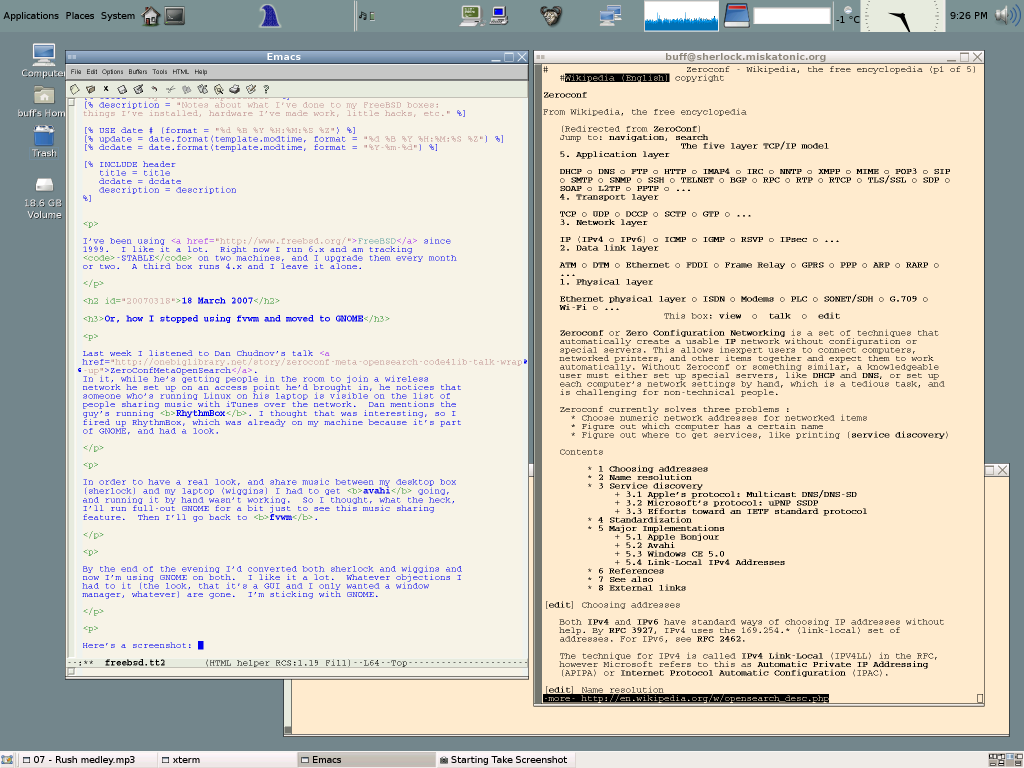
- There are eight workspaces, four across by two down, and I changed the keyboard shortcuts so that Ctrl-arrow moves me around them. This is just like it was in fvwm.
- Some useful applets are in the top bar, such as the weather indicator, a dictionary looker-upper, and the system load monitor. I added buttons for xterm and Emacs. In the top right I have an applet that swallows xclock to give an analog clock. The top and bottom get cut off but I like it that way.
- The window manager theme is slightly adjusted, but I only changed one or two small things.
The default configuration was pretty fine as it was, and I just made minor adjustments so that I didn't have to use any new keystrokes. One very nice thing is that when I move work one workspace to another, it remembers what window was in focus. Alt-tab is workspace-specific, so I can Ctrl-arrow to move to another workspace and if I'm not on the window I want (I probably am, because it's the one I was on when I left) I can Alt-tab to another. It's much easier now to get around without a mouse.
I added this to my kernel configuration because something or other I tried complained about not having it:
# For GNOME.
device          pass            # Passthrough device (direct SCSI access)
And I added this to /etc/rc.conf:
gnome_enable="YES"
dbus_enable="YES"
polkitd_enable="YES"
I think that just gnome_enable should have done it, but I got warnings about the other two, so I specified them fully and the warnings stopped.
I changed exec fvwm2 to exec gnome-session in my ~/.xinitrc file, but I'm not sure if that's necessary given that I turn on full GNOMEness in
rc.conf. I haven't bothered to find out.
So far I'm very pleased and I wish I'd gone over to GNOME before.
16 March 2007
Or, how I installed a new gateway/firewall
Over the last couple of months I had some annoying problems with my high-speed ADSL connection to the Internet. When I pumped any serious number of packets through it the line would die, and it required many attempts to reconnect. It turned out that my modem was on the fritz and sending bad signals (or something) and when I got a new modem, everything was fine again.
Along the way, though, I decided it was a good time to replace my old gateway/firewall box, mrs-hudson. mrs-hudson was running FreeBSD-4.12, which is years old, and for security I wanted to run the STABLE branch, now at 6.2. mrs-hudson had a 100 MHz Pentium chip and 16 megabytes of RAM, which isn't much, but was enough for what it was doing. There wasn't enough disk space to compile a new world, though, so I'd had to leave it alone.
For $60 I bought a used Pentium III 600 MHz box with 128 megs of RAM. I got two used 3Com ethernet cards; there's a network interface built in, so it has three now. I got it on the network and installed 6.2-STABLE, then used cvsup to download the latest source updates. I built a new world and kernel and moved to 6.2-RELEASE. Everything went fine. I copied over my name server files, /etc/ppp/ppp.conf, and a handful of other files, and I was ready. I set it in place and now I have a new gateway and firewall machine: widmerpool. (I've changed my naming scheme from Sir Arthur Conan Doyle's Sherlock Holmes stories to Anthony Powell's A Dance to the Music of Time.)
One network interface is connected to my internal LAN, one plugs into my ADSL modem, and one is unused. (I may use it for a public wifi access point.) I use Network Address Translation on widmerpool, and it handles all the work of managing how sherlock and wiggins go out to the Internet.
Here's the relevant but from /etc/rc.conf:
# ----- NETWORKING
network_interfaces="xl0 xl1 xl2"
hostname="widmerpool.miskatonic.org"

# xl0 is empty
# xl1 is ADSL
# xl2 is the LAN
ifconfig_xl2="inet 10.1.0.1  netmask 255.255.255.0"

gateway_enable="YES"

# ----- PPP
ppp_enable="YES"
ppp_mode="ddial"
ppp_nat="YES"
ppp_profile="profilename"
I use 10.1.0.* as the IP numbers on my LAN. gateway_enable magically makes widermpool act as a gateway, and ppp_enable means the Internet connection comes up automatically. ppp_nat turns on network address translation which also just works magically.
Once I had that in place I was back where I'd started: a gateway/firewall box that handled my Internet connection and had no open ports. I moved my printer over to widmerpool, and running lpd opened a port. I didn't want that. I either had to figure out how to have lpd listen only on the internal interface (dull) or finally do what I'd wanted to try for a years: set up a proper firewall. Fun!
Two things were particularly helpful in setting up the firewall:
- The IPFilter (IPF) Firewall from The FreeBSD Handbook (of course)
- Building a Firewall with FreeBSD, by Manuel Kasper, which is a few years old, but very useful
Three things gave me trouble:
- I didn't realize that because I use PPP, the interface where the packets for the Internet came in and out was
tun0, notxl2, which is the interface plugged into the ADSL modem. - Getting FTP working seems to cause everyone trouble. The easy way is to use ipnat, so I did.
- I want to use BitTorrent without any trouble so I had to use ipnat to map port 6881 from my gateway box to my desktop machine. (I turn this off when I'm not using BitTorrent.)
Here's what I ended up with. First, what I have in /etc/rc.conf on widmerpool, the gateway box:
# ----- Firewall

ipfilter_enable="YES"
ipfilter_rules="/etc/ipf.rules"
ipmon_enable="YES"
ipmon_flags="-D /var/log/ipfilter.log"

ipnat_enable="YES"
ipnat_rules="/etc/ipnat.rules"
Now that I look at that again I notice that
/var/log/ipfilter.log doesn't get rotated properly, but I
set /etc/syslog.conf to log everything into
/var/log/all.log, so I can see all the ipmon
output there. (ipmon is what reports on what the firewall
does.)
Here are my ipf.rules and ipnat.rules files. Originally I had the IPFilter rules set to block everything in and out and then allow particular things, but I changed it so that everything is allowed out by default. If I were running a firewall at an office I'd change that and be more restrictive, but for my personal use, it's fine. Everything inbound is blocked by default.
I keep an eye on the logs to see what's going on and what gets blocked. So far everything has been fine.
11 March 2007
Or, how I changed my time zone
My time zone moved from Eastern Standard Time (UTC-5) to Eastern Daylight Time (UTC-4) today, and it happened three weeks earlier than it did before. sherlock and wiggins didn't notice it. I thought they would, but for whatever reason they didn't, so I had to do it by hand.
As root, I ran tzsetup and then adjkerntz
-s. That did the job.
24 February 2007
Or, how I got F-Spot working again
I've been using F-Spot to organize my digital photos. It's in the ports at graphics/f-spot, and I prefer it to kphotoalbum, which for KDE users. F-Spot is for GNOME people, and I still use fvwm, but I can run GNOME apps. In this case, however, there's a twist.
After using portupgrade to move F-Spot up to the latest version (0.3.2) and also upgrade mono and some related ports, F-Spot stopped working. I got this error: "Unable to open the system message bus." I submitted a bug report: ports/108843: f-spot 0.3.2,1 fails with bus-related error. After a bit of back and forth with some helpful people, it emerged that because fvwm doesn't use dbus, I need to launch F-Spot specially: dbus-launch f-spot.
2 August 2006
Or, how I was able to see Flash
I installed the www/linux-opera and
www/linux-flashplugin ports and Flash worked right away.
I'd tried to get the www/flashplugin-mozilla thing
working, which lets the Linux version of the Flash player work with a
FreeBSD-compiled browser, but had no luck. I could have installed
www/linux-firefox but went with Opera for variety.
Macromedia makes available a Linux Flash player, but not a FreeBSD
one. Luckily FreeBSD can run Linux binaries.
16 July 2006
Or, how I fixed a font problem in LaTeX
Recently I upgraded LaTeX (actually, teTeX) from the ports. Tonight I was updating something important and when I went to generate a fresh PDF, I got this:
Warning: pdflatex (file cmr7.pfb): cannot open Type 1 font file for reading
Warning: pdflatex (file cmmi10.pfb): cannot open Type 1 font file for reading
Warning: pdflatex (file cmbx10.pfb): cannot open Type 1 font file for reading
Warning: pdflatex (file cmti10.pfb): cannot open Type 1 font file for reading
Warning: pdflatex (file cmsy10.pfb): cannot open Type 1 font file for reading
Warning: pdflatex (file cmcsc10.pfb): cannot open Type 1 font file for reading
Warning: pdflatex (file cmtt10.pfb): cannot open Type 1 font file for reading
Warning: pdflatex (file cmr10.pfb): cannot open Type 1 font file for reading
Because it couldn't find these fonts, it used some horrible other font and everything looked wrong. It seemed like an odd problem to have, because these are the Computer Modern fonts, designed by the great Knuth himself, and they're a basic part of LaTeX. However, it was easy to fix: I ran updmap ("update font map files for TeX output drivers") and then all was well.
25 June 2006
Or, how I got wifi working again
I have a Linksys WAP54G wireless access point, and after some fiddling I got wiggins hooked up to it. Here's how.
The WAP54G comes from the shop thinking that it's 192.168.1.245. I ran a cable from my laptop to its back port. To make my laptop talk to it, I ran
ifconfig xl0 down
ifconfig xl0 192.168.1.1
ifconfig xl0 up
add route default 192.168.1.1
Now I could hit the access point with my web browser at
http://192.168.1.245/. I logged in and first thing changed the admin
password. To make it sit properly on my network, I set it so it had
the IP number 10.1.0.101 and used 10.1.0.1 as the gateway. Once I'd
saved that I couldn't talk to it any more from wiggins without
reconfiguring. I commented out the ifconfig line from
/etc/rc.conf, so it would boot up without doing any
network stuff, and then I plugged the access point into my switch so I
could control it from sherlock, my desktop machine.
Now I could hit the access point at http://10.1.0.101/ from sherlock, and I had to configure it and then make the laptop match. I changed the SSID and disabled the broadcasting of same. I turned on MAC filtering and made it so that only my wireless ethernet cards would be allowed to connect. This didn't work. The access point kept deleting them from the list. It turned out the firmware on my device was at version 3.01, and there's a bug in it that causes just this problem. I hit Linksys's web site, downloaded the new firmware (version 3.04), discovered I had to unzip it before uploading it to the access point, and got it installed. It reported an error, but everything seems fine. After that, I set up the MAC filtering and the settings stayed put.
Now I went over to wiggins and tried to get it on the network. It worked. The final step was to get WEP working. I set it up on the access point and then added it to wiggins's configuration, and it worked. I know WEP can be broken easily, but it helps against casual sniffing. I use ssh for all traffic back and forth and usually leave the access point turned off when I'm not using it, anyway.
I run this script when I want to get wiggins going with wifi:
#!/bin/sh

echo "Configuring wi0 for home ..."

ifconfig wi0 10.1.0.7
ifconfig wi0 media autoselect
ifconfig wi0 channel 6
ifconfig wi0 ssid MY_SSID

ifconfig wi0 authmode open
ifconfig wi0 wepmode on
ifconfig wi0 weptxkey 1
ifconfig wi0 wepkey 0x_MY_WEP_KEY_IN_HEX

ifconfig wi0 up
I could put all this into an ifconfig line in
/etc/rc.conf, and tried, but it didn't work. Until I get
that figured out, running this script is no big chore.
Not having to use an ethernet cable is great, but now my bandwidth has gone from about five megabits to 300 kilobits per second.
7 June 2006
Or how I had to replace my motherboard and CPU and found a bug in FreeBSD's implementation of tar
A couple of weeks ago I came home and discovered that sherlock, my main desktop computer, wasn't working. The monitor said there was no video signal and hitting keys didn't do anything, but the power was on and lights were lit. I turned it off and on and the power came back on but nothing happened. That was not good. Computers are supposed to beep when you turn them on. Sherlock, however, was no POST, no beep, no video. Some browsing around the web led me to think my motherboard was dead. That was not good.
Before I took the box into the shop I wanted to make sure my hard drives were OK. I have two in sherlock: the main one and then another with /usr/ports and a bunch of MP3s. I keep everything backed up: every week I copy everything I don't want to lose to another machine, I burn it to CD-ROM, and I copy it to an external USB drive which I lock in a safe, encase in cement, and then store in a nuclear bomb shelter in an undisclosed location.
I pulled out the last CD-ROM and checked all the files, and they were all fine except for the backup of my home directory. About half the files were there, then I got an error: 'x' header failed?! This can't happen. That was not good. Where were all the files? What had happened?
It turns out that the SessionSaver Firefox extension had a file in it dated 1901, and that tar has a bug and can't handle very old files. Here's how to recreate it:
$ touch -t 191007011800 foo
$ ls -l
total 0
-rw-r--r--  1 buff  wheel  0 Jul  1  1910 foo
$ tar czvf foo.tar.gz foo
a fooarchive_write_pax_header: 'x' header failed?!  This can't happen.
All of my home directory backups since January, when I moved up to FreeBSD 6.0, were incomplete! Horrible news. I had made the fatal error of making backups but then not testing them. If my hard drives were dead then I would lose work.
Luckily, they weren't dead, and I got them working easily. The only other computer I had was a laptop, wiggins, and I couldn't take the drives out of sherlock and put them into wiggins. However, I could use an external USB enclosure! I took the main drive out of sherlock, hooked it up in the enclosure, and plugged it in. I knew that sherlock's /etc/fstab had these two lines:
/dev/ad0s1b             none            swap    sw              0       0
/dev/ad0s2a             /               ufs     rw              1       1
On wiggins I mounted /dev/da0s2a (switching devices from ad, the "generic ATA/ATAPI disk controller driver," to da, the "SCSI Direct Access device driver" that all USB devices show up as) and voila, there was sherlock's hard drive, in perfect shape. I touched the 1901 file, backed everything up again, and I was all set. If the new motherboard meant I had to reinstall everything, I was OK.
As it turned out, I was lucky. Not only were both hard drives undamaged, when the new motherboard and CPU were installed, sherlock booted up normally, saw the drives, and everything was fine. The new motherboard even had the same chipset on the on-board video card, but I reinstalled X just to be on the safe side.
It's not perfect, though. I do have problems with my USB drives, so I filed a problem report. However, both the problem with my MP3 player and the problem with my external drive can be worked around, so I have some minor inconveniences but no major ones, and no loss of data.
26 March 2006
Or, how I got rid of weird Firefox directories
I was having annoying problems with strangely-named directories in my
~/.mozilla/ directory where Firefox kept its files. They
had unprintable characters in their names, and every time I upgraded
Firefox, new ones would be made. I had to make a profile for myself
and reset Firefox each time to use that profile. The directory names
looked like this:
drwx------  2 buff  buff   512 Jan  7 00:53 ?D&(???/
drwx------  2 buff  buff   512 Jan  1 14:41 ?D&( ??/
drwx------  2 buff  buff   512 Jan  1 14:41 ?D&(0??/
drwx------  2 buff  buff   512 Jan  8 14:16 ?D&(@??/
drwx------  2 buff  buff   512 Jan  1 14:40 ?D&(@??/
drwx------  2 buff  buff   512 Jan  1 14:42 ?D&(H??/
drwx------  2 buff  buff   512 Jan  8 14:18 ?D&(P??/
drwx------  2 buff  buff   512 Jan  1 14:41 ?D&(P??/
drwx------  2 buff  buff   512 Jan  9 23:36 ?D&(X??/
drwx------  2 buff  buff   512 Jan  9 23:37 ?D&(h??/
drwx------  2 buff  buff   512 Jan 22 17:29 ?D&(h??/
drwx------  2 buff  buff   512 Jan 15 10:58 ?D&(x??/
drwx------  2 buff  buff   512 Jan 11 21:52 ?D&(???/
It turned out all this was caused by me having built a debugging
version of Firefox. I removed /var/db/ports/firefox/,
rebuilt the port, did not turn on debugging, and now all is well.
6 January 2006
Or, how I upgraded to FreeBSD 6.0-STABLE
I saw some discussion on the freebsd-stable mailing list about how stable 6.0 is and when it's safe to move up from 5.x. I'd thought it was the same deal as with previous versions and regular folks should wait a while, until 6.2 or 6.3, before upgrading. It's not, though; 5.x will probably only have one more release and the recommendation was that people move up to 6.0. It's stable and it's easy to upgrade without doing a fresh install.
I read the instructions and did an upgrade on a machine I don't care so much about, and it worked fine, so I did it on two others and had no problems. Here's what I did:
- Updated my
stable-supfileto get the new source tree:*default host=cvsup9.freebsd.org *default base=/var/db *default prefix=/usr #*default release=cvs tag=RELENG_5 *default release=cvs tag=RELENG_6 *default delete use-rel-suffix *default compress src-all
- Used cvsup to get all the new source:
cvsup -L 2 -g stable-supfile - Read
/usr/src/UPDATING - Added
options COMPAT_FREEBSD5to my kernel configuration file (though I forgot to do this on one machine and nothing bad happened). - Backed up everything, and triple-checked to make sure I had everything.
- Followed the instructions in
/usr/src/UPDATING:cd /usr/src make buildworld make buildkernel KERNCONF=SHERLOCK make installkernel KERNCONF=SHERLOCK reboot [come up in single user mode and proceed if nothing goes wrong] fsck -p mount -u / mount -a cd /usr/src mergemaster -p make installworld mergemaster -i reboot [breathe sigh of relief that it worked]
- Finally, I recompiled most of my ports:
lib*,gnome*, all the multimedia ports, X Windows, all Perl/Python/PHP ports, and more.
Everything is working fine. I've had no trouble at all. It was
nerve-wracking, and mergemaster had a lot of files to handle
and I had to merge /etc/passwd and a couple of others by
hand, but it all went smoothly and was infinitely preferable to doing
a fresh install and then restoring everything from backups and the
ports.
3 January 2006
Or, how I added an optical mouse
My old Logitech mouse, just a regular three-button mouse with a ball inside, was giving me trouble. Sometimes it would stop moving left and right and only move up and down. I cleaned it, but the problem kept on. I decided to pick up an optical mouse, one of the kind that has a little light shining out the bottom and uses reflections of that light to figure out how it's being moved. There's nothing to get gunked up.
I bought a cheap Labtech mouse. It didn't work right. The pointer was jumping all around it was somehow causing the computer to think keys had been pressed or something had happened that made it paste text in all over the place. That was no good. Luckily, someone else had had this exact problem and posted to a mailing list about how he'd fixed it. I did what he did and now the mouse works: I added this line to /boot/device.hints:
hint.psm.0.flags="0x200"
Now I see this when I boot:
psm0: <PS/2 Mouse> flags 0x200 irq 12 on atkbdc0
psm0: [GIANT-LOCKED]
psm0: model Generic PS/2 mouse, device ID 0
1 December 2005
Or, how I upgraded Firefox
I upgraded Firefox to 1.5 (well, 1.5_2,1) tonight.
- I have a special directory to store my personal profile and I had
to run Firefox from
~/.mozilla/because there was no way to make it see any dot directories when I wanted to choose the directory where the profile is. The "All Files" button didn't work. - It upgraded some extensions automatically but I had to do SessionSaver and Tab X by hand. I use: Adblock, Add Bookmark Here, Customize Google, Sage, SessionSaver, Tab X, and Web Developer. I also have Aardvark and ScrapBook installed but rarely use them.
- It went back to using 96 dpi for resolution so everything looked small. I set it to use the monitor resolution (140x144 dpi) and all properly-designed web pages (and the menus) went back to being pleasantly readable.
- To make the middle-button-paste-URL feature work, I had to go
into
about:configand setmiddlemouse.contentLoadURLto true. Somehow this got set to false.
26 November 2005
Or, how to play two sounds at once
sysctl hw.snd.pcm0.vchans=4
sysctl hw.snd.maxautovchans=4
Now I more than one thing can play sounds at the same time, and I don't get complaints about not the audio device being locked by another process.
10 November 2005
Or, how xscreensaver made flickering lines appear when I hit a key
I had a weird problem but I found the cause. The other night I
noticed that the GNOME stuff had all been moved up to a newer release
and there were dozens of ports to reinstall. I ran the upgrade script
(mentioned in /usr/ports/UPGRADING) and had only one
small problem where I had to delete an existing port so that the
script could install it on its own.
When I rebooted, there was trouble. After a few seconds of using an xterm, every keypress would cause a horizontal line to appear on the screen. If I held a key down, the flickering lines would scroll down down the screen, sort of like a TV with horizontal hold problems. I couldn't figure it out. How could upgrading GNOME cause this?
I degaussed my monitor, I turned it off an on, I rebuilt X, I rebooted, I unplugged and replugged my keyboard, I checked my X log, I built a new xorg.conf, I used twm as my window manager instead of fvwm, I rebuilt the world and upgraded the entire operating system. Nothing worked. I searched for mentions of problems with my graphics card (Silicon Integrated Systems [SiS] unknown chipset (0x6330) rev 0, an onboard card using up 64 megs of memory), and found some mentions (see this page by the driver writer) that convinced me it was the video card.
I couldn't think of anything else it could be, so I went around
checking prices on cards. I thought I'd try one last thing —
swapping in an old monitor to make sure my monitor wasn't the trouble
— when I noticed a line in my .xinitrc I'd skimmed
over before:
xscreensaver &
I had to isolate every possible cause, so I commented that out and started up X again. No lines! No problems! xscreensaver depends on GNOME, so it was rebuilt with everything else, and something is now tickling a bug somewhere. I'll report it. Since I was only using xscreensaver to black my screen, now I just let my monitor's automatic power-saving handle things. All is well.
4 November 2005
Or, how I newfsed a USB flash drive
I bought a new USB flash drive, but I got an error when I tried to mount it. It came with a DOS file system installed on it, so I was mystified. A quick newfs_msdos /dev/da0 reformatted the drive and then it mounted without any trouble.
6 August 2005
Or, how I got a laser printer working
My Epson Stylus C60 inkjet printer stopped working a little while ago. Really, it probably does still work, but the new ink cartridge I'd bought dried up or gave up after five days and ten pages, and I said the hell with it. Inkjet cartridges are an enormous ripoff, and I decided to free myself from the international inkjet conspiracy and buy a laser printer. After some looking around at low-end models by Dell, Brother, Samsung, HP, and Lexmark, I decided that the Brother HL-2040 looked good. It's not listed on linuxprinting.org as being supported, but this message from a mailing list archive said it did work with CUPS and the hl1250 driver. Since other similar Brothers work without any trouble, I was pretty sure this would too.
When I got the printer home and plugged it in, all seemed well. I used the USB connection and it was recognized (because I have USB stuff and ulpt enabled in my kernel):
ulpt0: Brother HL-2040 series, rev 2.00/1.00, addr 2, iclass 7/1
ulpt0: using bi-directional mode
I tried using apsfilter, but after the configuration, a test page was requested but never emerged from the printer. Was it a problem with apsfilter? I didn't know. Now, there are about 10n (for some n>2) Linux people using CUPS, and any web search about Unix/Linux printing leads into people talking about it, PPD files, and such. All this was a mystery to me, but if that's what it took to get the printer working, I'd try it.
I installed cups from the ports, ran cupsd, and (the port doesn't tell me this, but it'd be nice if it did) hit http://localhost:631/admin/ to use the web interface. It asked me for a username and password. You're supposed to log in as root, but I disabled the authentication in the config file (whose location I forget) so I didn't have to bother.
cups doesn't know about the hl1250 driver out of the box, so I had to download a PPD file and copy it into /usr/local/share/cups/model/ (setting perms so it was 644 root:wheel) so that I could use it. Note: you need to run killall -HUP cupsd for it to see the new file. I ran through adding a printer (I told it to use a local USB connection, which it saw) and then tried to print a test page, but again, nothing came out. It didn't say why.
Now I was getting worried that the printer wouldn't work. The printer has a parallel port on it, though, so I tried that, and it worked right away with apsfilter. Phew! I don't know what stopped it from working over USB, but I don't really care. I was just glad it worked and that I didn't have to do all that CUPS stuff.
apsfilter did everything for me after I ran /usr/local/share/apsfilter/SETUP and answered a few questions. The hl1250 driver is listed under "Miscellaneous Other Drivers." My /etc/printcap now says:
lp|hl1250;r=300x300;q=medium;c=mono;p=letter;m=auto:\
    :lp=/dev/lpt0:\
    :if=/usr/local/etc/apsfilter/basedir/bin/apsfilter:\
    :sd=/var/spool/lpd/lp:\
    :lf=/var/spool/lpd/lp/log:\
    :af=/var/spool/lpd/lp/acct:\
    :mx#0:\
    :sh:
12 May 2005
Or, how I recorded audio
I want to turn some old radio shows on cassette tape into MP3s. A bit of poking around made me reckon that Audacity would be just what I needed to handle the actual recording, and indeed that turned out to be so, but I had a bit of trouble actually getting the sound to go to the right spot. My sound card was working well for output, I knew that because I could play MP3s with xmms, but I had trouble with the input.
I ran a line from the back of my tape player (the REC OUT; don't use the headphone jack because you'll get a hum) to the microphone input of the sound card (I needed a wire with two male RCA jacks on one end and one male 1/8" plug on the other) but Audacity wasn't hearing anything.
I fixed it with the mixer utility. Running it with no arguments showed something like this:
Mixer vol      is currently set to  75:75
Mixer pcm      is currently set to  75:75
Mixer speaker  is currently set to  75:75
Mixer line     is currently set to  75:75
Mixer mic      is currently set to   0:0
Mixer cd       is currently set to  75:75
Mixer rec      is currently set to   0:0
Mixer line1    is currently set to  75:75
Recording source: cd
Notice that the mic volume is set to 0, and the source is cd. I ran
mixer mic 90 and mixer +rec mic and then
got:
Mixer vol      is currently set to  75:75
Mixer pcm      is currently set to  75:75
Mixer speaker  is currently set to  75:75
Mixer line     is currently set to  75:75
Mixer mic      is currently set to  90:90
Mixer cd       is currently set to  75:75
Mixer rec      is currently set to   0:0
Mixer line1    is currently set to  75:75
Recording source: mic
Audacity then added the microphone to its list of inputs and pressing the record button worked. I could grab some audio then export it as an MP3 or Ogg file. The shows I had were split across two sides of a tape, so I hit pause while I turned it over, then edited out what empty space remained. Editing is really easy. It takes quite a while to export an hour of audio as an MP3, but the result turned out well.
24 April 2005
Or, how I stopped /dev/cdrom from disappearing
Below, on 12 January 2005, I mention that on my new 5.x system the /dev/cdrom symlink to /dev/acd0 would disappear when I rebooted. Roland Smith sent me some tips about how to stop this. As he says on his web page, "FreeBSD 5.x has a dynamic /dev filesystem. This means that entries in /dev are created or removed depending on the available devices." The file to control this is
/etc/devfs.conf. It contains these lines:
# Commonly used by many ports
#link   acd0    cdrom
I uncommented the second. There's a lot more that be controlled in that config file, but this is all I need right now.
17 April 2005
Or, how I got an RSS Feed Working
I used XML::RSS to generate an RSS feed. It was quite easy, but there were three things I want to remember.
First, the actual RSS file should have the proper MIME type. For my RSS 1.0 feed, which is in the RDF format, I added this to Apache's httpd.conf: AddType application/rdf+xml .rdf
Second, the date format I chose from the specification to use in the Dublin Core metadata should look like 2005-04-17T16:11:26-04:00, which a colon in the middle of the time zone offset. I had to splice that in because Date::Manip only seemed to have it without the colon.
Third, this will help with autodiscovery:
<link rel="alternate" type="application/rdf+xml"
      title="Some Name Here (RSS 1.0)" href="/url/to/feed.rdf" />
Though how legit application/rdf+xml is in the link tag,
I don't know. But it works in Firefox.
3 March 2005
Or, how I had to reinstall Firefox and use xargs -I
In a misguided attempt at cleaning out my Firefox cache at the
command line, I deleted at directory named Cache and
somehow wiped out all my customizations, including my bookmarks and
extensions. I updated the Firefox port to 1.0.1, and got set
to install everything all over again. Here are the extensions I use:
- Adblock
- Add Bookmark Here (makes it easier to bookmark stuff)
- Sage (RSS reader)
- SessionSaver
- Tab X (gives a close-this-tab X to each tab)
- Tabbrowser Preferences (adds extra tab functions, but not a crazy number of them like another tab extension)
- Web Developer (gives a toolbar with lots of handy functions)
The hard part came when I had to restore my bookmarks. Firefox installed into directories with strange characters in their names, so I can't just cd into them. ls ~/.mozilla/ looks like this:
-rw-r--r--  1 buff  buff  335 Mar  2 14:45 appreg
drwxr-xr-x  2 buff  buff  512 Mar  2 15:01 ?x#(0X?/
drwxr-xr-x  2 buff  buff  512 Mar  2 14:45 ?x#(P??/
drwxr-xr-x  2 buff  buff  512 Mar  2 14:45 ?x#(p??/
drwxr-xr-x  2 buff  buff  512 Mar  2 14:45 ?x#(???/
drwxr-xr-x  2 buff  buff  512 Mar  2 16:17 ?x#(???/
drwxr-xr-x  2 buff  buff  512 Mar  2 14:45 ?x#(???/
drwxr-xr-x  3 buff  buff  512 Mar  2 14:45 ?x#(???/
I think it's a character set problem, but I'm not sure what's going
on. Everything works all right for programs, but not for people. I
had to get my backup bookmarks.html into place without
being able to actually move into the proper directory, and I found a
way to do it with find and xargs with the latter's
-I option (notice how find's output show different
directory names):
buff:sherlock:~/.mozilla$ find . | grep bookmarks.html | xargs ls -l
-rw-r--r--  1 buff  buff  16513 Mar  2 15:52 ./?x#(???/7vt9f154.default/bookmarks.html
buff:sherlock:~/.mozilla$ find . | grep bookmarks.html | xargs -I "%" cp ~/lost-bookmarks.html %
buff:sherlock:~/.mozilla$ find . | grep bookmarks.html | xargs ls -l
-rw-r--r--  1 buff  buff  54520 Mar  2 16:09 ./?x#(???/7vt9f154.default/bookmarks.html
I did that with Firefox shut down, of course, and when I started it up again, all my bookmarks and feeds were back.
2 March 2005
Or, how I set up a USB drive
I was talking to some fellow geeks about USB drives, and one had an old 64 meg key drive he generously gave me. He'd been using a half-gig drive for a while and this small one was compartively ancient.
Getting it working on both my laptop (wiggins) and desktop (sherlock) machines was pretty simple. First, I made sure this section was in my kernel config (taken from the GENERIC kernel):
# USB support
device          uhci            # UHCI PCI->USB interface
device          ohci            # OHCI PCI->USB interface
device          usb             # USB Bus (required)
#device         udbp            # USB Double Bulk Pipe devices
device          ugen            # Generic
device          uhid            # "Human Interface Devices"
device          ukbd            # Keyboard
device          ulpt            # Printer
device          umass           # Disks/Mass storage - Requires scbus and da
device          ums             # Mouse
device          urio            # Diamond Rio 500 MP3 player
device          uscanner        # Scanners
The umass device is commented out in GENERIC, but I uncommented it and added this to bottom of the config:
# Required for USB.
device          scbus
device          da
I rebuilt world and kernel and updated everything following the proper procedures. Booting sherlock now shows:
usb0: OHCI version 1.0, legacy support
usb0: SMM does not respond, resetting
usb0: <SiS 5571 USB controller> on ohci0
usb0: USB revision 1.0
uhub0: SiS OHCI root hub, class 9/0, rev 1.00/1.00, addr 1
uhub0: 3 ports with 3 removable, self powered
wiggins is pretty much the same. I stuck the key drive into the slot to see if it would work, and it did. This appeared in the console window:
umass0: vendor 0x1005 USB Flash Drive, rev 2.00/1.00, addr 2
da0 at umass-sim0 bus 0 target 0 lun 0
da0: <USB Flash Drive 1.12> Removable Direct Access SCSI-0 device
da0: 1.000MB/s transfers
da0: 61MB (126973 512 byte sectors: 64H 32S/T 61C)
Perfect. But how to get to the files there? I thought the drive had
probably been formatted with an MS-DOS file system, so I put this into
/etc/fstab:
/dev/da0 /usb msdosfs rw,noauto 0 0
I ran mkdir /usb; mount /usb and the drive seemed to be mounted, but the directory was empty so I couldn't be sure. I copied a file into it, ran umount /usb, took the drive to the other computer, mounted it, and saw the file. Excellent!
I can use amd to automatically mount and unmount drives, and if I get that working then I'll make a note here.
27 February 2005
Or, how I can now do subselects in MySQL
This isn't specific to FreeBSD, but I'll mention it anyway. In the database that by personal library catalogue program Mrs. Abbott uses, I have tables called AUTHOR, TITLE, and HASWRITTEN. AUTHOR has author names, TITLE has information about particular books, and HASWRITTEN is a matrix table that ties together AUTHOR.id (which is HASWRITTEN.authorref as a foreign key) and TITLE.id (HASWRITTEN.titleref) to show who wrote what.
I wanted to do a select that would show me all of the writers who are not responsible for any books in my collection, that is, writers whose books I used to have but have since weeded. In MySQL 3, I had to do it the primitive way:
SELECT author.*
FROM   author
LEFT JOIN hasWritten
ON     author.id=hasWritten.authorRef
WHERE  hasWritten.authorRef IS NULL;
I'm a bit hazy on left and right and inner and outer joins, but it works. It's easier in MySQL 5, though, because since 4 they've allowed subselects:
SELECT author.*
FROM   author
WHERE  NOT EXISTS (SELECT *
                   FROM   hasWritten
                   WHERE  hasWritten.authorRef = author.id);
MySQL SQL Syntax and Use explains how to rewrite subselects as joins.
22 January 2005
Or, how I moved to MySQL 5.0
My personal library catalogue system, Mrs. Abbott, uses MySQL. On my old box I'd been using version 3.something, but they've moved up to 4.1 as the production release version and are working on 5. With 5 I could have views, triggers, subselects, the whole megillah of what I was missing in 3, so I went with it. Installing it from the ports was as easy as usual, but then I couldn't get it started. I ran /usr/local/etc/rc.d/mysql-server.sh start, but nothing happened. I ran ls -l /usr/local/bin/mysql* and saw mysqld_safe, which was mentioned in the boot script, so I had a look inside.
# mysql.server works by first doing a cd to the base directory and from there
# executing mysqld_safe
Aha! It was being very secure. I ran cd /var/db/mysql; /usr/local/bin/mysqld_safe and it started up. In another shell, as root I ran mysql -u root -p mysql to get to the admin interface, and then I just repeated what I'd done on 3 July 2002, below (changing the hostname where necessary) except for one thing: when it came to granting privileges, I ran
mysql> grant all privileges on library.* to marion@localhost;
Query OK, 0 rows affected (0.00 sec)

mysql> grant all privileges on library.* to marion@sherlock.miskatonic.org;
Query OK, 0 rows affected (0.01 sec)
There were some new privileges added in version 4, and without the ability to lock tables my mysqldump script wouldn't work. There's no reason why the marion user shouldn't have complete rights over the library database, and those lines set all that up. My backup script looks like this:
mysqldump --user=marion --password=hushhush --complete-insert --add-drop-table library > \
        $DATE-mysql-library.sql
14 January 2005
Or, how I used xine and gxine to view many media formats
I've used xine before, but never much liked it for playing MP3s. The interface is pretty ugly and I never bothered to download any skins to change it. I tried gxine, which looks much simpler, and I like it. Both, it turns out, use the multimedia/win32-codecs port, which lets them show Windows Media files and all kinds of things I've never been able to see outside of a Windows box. Installing gxine also added a bunch of lines to my .mailcap file and now I can see embedded media in web pages. Nice.
There was one problem, though: some Quicktime videos didn't show any pictures, just a blue box. The xine FAQ suggested adding Option "XaaNoOffscreenPixmaps" to the device section of /etc/X11/xorg.conf, but that didn't help. The next question in the FAQ said I should run xine -V XShm and see if that worked, and it did. This means there is something buggy with the Xv extension I have, and I have to use another video plugin thing. I have no idea what the cause of the problem is, but it all works now.
I found a bug in how gxine is installed from the ports: it compiles and installs without any trouble, but when run it complains that it can't find libgnomevfs.so.0 (which is from the libgnomvfs version 1 port). I submitted a problem report about this, which got bounced around a couple of times and is now still open. Installing libgnomevfs from the ports makes it shut up, and doesn't interfere with GNOME 2.
12 January 2005
Or, how I was able to mount CDs on my new machine
I was able to burn CDs without any trouble (though my
/dev/cdrom symlink keeps disappearing, which is
annoying). However, when I tried to mount a CD, I got this error:
cd9660: /dev/acd0: Input/output error. I looked around
some mailing list archives and someone suggested ejecting and
reloading the disc, and that did the trick. I'd feared it would be
something much more serious.
11 January 2005
Or, how I installed 5.3-STABLE on a new box named sherlock
The heating problems I mentioned below just got worse, and soon I couldn't keep up a load of 1 for more than five minutes without the machine's temperature alarm going off. Since the load went to 1 if I was listening to music, using Firefox, and doing some other small tasks, it was unusable. I went out and bought a new box:
- Name: sherlock
- CPU: AMD Sempron(tm) 2500+ (1742.95-MHz) (that seems to mean it's comparable to a 2500 Mhz Intel chip; I didn't know AMDs were slower but did more)
- Motherboard: ASRock K7S41GX, with sound, 10/100 network, and video cards onboard
- Memory: 512 megs
- Case: Sonata, a super-silent black case with blue lights on the front
I bought my first real PC almost exactly ten years ago, a 486 DX2/66 with 16 megs of RAM. It cost $1700 and I had to take out a loan to pay for it. Five years later I got mycroft, a PII-450, and now this. Who knows what I'll have in 2010?
Here are some notes about what happened when I installed 5.3-STABLE and got everything in shape.
Disk geometry
At the very start, I got warnings about the geometry of the disk being incorrect. It said it would accept what the BIOS said, so I rebooted and checked it, but when I entered those numbers they were rejected. I figured I'd go on anyway, since FreeBSD was bound to be pretty smart, and see how it worked out. It's fine. I ended up having a problem I thought was related to the geometry, but it wasn't: because of the way I installed the boot manager and arranged the slices, the first couple of times I tried to boot the machine after the install, I tried to boot off the swap partition. There's no way that will ever work. I was being offered a choice between F1 and F2, and when I hit F2 instead, it saw the right boot stuff and found the kernel. The geometry seems fine. The disk is working perfectly, in any case.
Sound
The sound card is onboard, built into the motherboard, and figured it'd be some kind of standard type, but wasn't sure. I was a bit nervous about how this and the ethernet and video cards would work, but FreeBSD and X grokked them. To get sound working, first I put
device sound
in my my kernel config, but that didn't do anything. No pcm device showed up on boot. I ran pciconf -lv which showed some interesting stuff, including:
none0@pci0:2:7:  class=0x040100 card=0x70121849 chip=0x70121039 rev=0xa0 hdr=0x00
    vendor   = 'Silicon Integrated Systems (SiS)'
    device   = 'SiS7012 PCI Audio Accelerator'
    class    = multimedia
    subclass = audio
but after running kldload /boot/kernel/snd_ich.ko it showed this:
pcm0@pci0:2:7:  class=0x040100 card=0x70121849 chip=0x70121039 rev=0xa0 hdr=0x00
    vendor   = 'Silicon Integrated Systems (SiS)'
    device   = 'SiS7012 PCI Audio Accelerator'
    class    = multimedia
    subclass = audio
How did I know that was the right one to load? I used Google on
"Silicon Integrated Systems" freebsd and that sort of
thing. To get the sound device in the kernel config so it was built
right in, I added
device snd_ich
(which I tried as a guess after just ich didn't work) and
that compiled. Now when I boot, I see
pcm0: <SiS 7012> port 0xd800-0xd87f,0xdc00-0xdcff irq 18 at device 2.7 on pci0
pcm0: [GIANT-LOCKED]
pcm0: <Unknown AC97 Codec (id = 0x434d4983)>
Balance control in xmms didn't work, and stuff sounded like it was in mono. I enabled a SuperStereo plugin and now it sounds stereo, though the balance and volume knobs do nothing.
X
This got a bit annoying. Two parts of the X.Org distribution in the
ports were broken: xorg-clients and
xorg-server. They are crucial! I worked around it by
installing packages: pkg_add -r xorg-clients and pkg_add -r
xorg-server. I had to run pkgdb --fix to fix up some
dependency misunderstandings. GNOME2 was able to go in without any
trouble. Not that I use any of it, but a few applications I like
require it.
When I got X fired up, I found my resolution was 2048*1536 and it refuses to go lower! I want to get it down to 1600*1200. I had to jack my font sizes up to 17.
Emacs and libXaw3d
Emacs wanted libXaw3d.so.8, but x11-toolkits/Xaw3d was installing libXaw3d.so.6. There was a bug about this filed last November. The fix is to make a symlink so everything's happy:
bash-3.00# cd /usr/X11R6/lib/
bash-3.00# ls -l libXaw*
-rw-r--r--  1 root  wheel  444594 Oct 16 00:31 libXaw.a
lrwxr-xr-x  1 root  wheel      11 Oct 16 00:31 libXaw.so -> libXaw.so.7
-rwxr-xr-x  1 root  wheel  276475 Oct 16 00:31 libXaw.so.6
-rwxr-xr-x  1 root  wheel  386642 Oct 16 00:31 libXaw.so.7
-rw-r--r--  1 root  wheel  398424 Jan  9 13:03 libXaw3d.a
lrwxr-xr-x  1 root  wheel      13 Jan  9 13:03 libXaw3d.so -> libXaw3d.so.7
-rwxr-xr-x  1 root  wheel  298262 Jan  9 13:03 libXaw3d.so.7
bash-3.00# ln -s libXaw3d.so.7 libXaw3d.so.8
bash-3.00# ls -l libXaw*
-rw-r--r--  1 root  wheel  444594 Oct 16 00:31 libXaw.a
lrwxr-xr-x  1 root  wheel      11 Oct 16 00:31 libXaw.so -> libXaw.so.7
-rwxr-xr-x  1 root  wheel  276475 Oct 16 00:31 libXaw.so.6
-rwxr-xr-x  1 root  wheel  386642 Oct 16 00:31 libXaw.so.7
-rw-r--r--  1 root  wheel  398424 Jan  9 13:03 libXaw3d.a
lrwxr-xr-x  1 root  wheel      13 Jan  9 13:03 libXaw3d.so -> libXaw3d.so.7
-rwxr-xr-x  1 root  wheel  298262 Jan  9 13:03 libXaw3d.so.7
lrwxr-xr-x  1 root  wheel      13 Jan  9 13:16 libXaw3d.so.8 -> libXaw3d.so.7
procfs
I added
proc /proc procfs rw 0 0
to /etc/fstab so truss would work.
Mouse
I got X going, but my mouse started acting up. All of a sudden the pointer would appear at the edge of the screen, menus would start popping up, and then huge chunks of text would get dumped into an xterm. This was really annoying. I looked around and found it in the FAQ: Why does my PS/2 mouse misbehave under X?. The FAQ said I should "disable the synchronization check code by setting the driver flags for the PS/2 mouse driver to 0x100. Enter UserConfig by giving the -c option at the boot prompt," that is, boot: -c, but I couldn't get to that prompt. boot -c just booted up normally, and I didn't get the UserConfig menu.
Checking some mailing lists told me that if I couldn't send the signal this way, I could add it to the device hints read at boot. I added this to /boot/device.hints:
hint.psm.0.flags="0x100"
That had no effect. Didn't fix the problem at all. I plugged in a
new mouse, rebooted, and it acted crazy even in console mode. I
removed the line from device.hints, rebooted, and then
the new mouse worked perfectly. Who'd have thought a mouse would
cause so much trouble? Why is one different from another? Who knows.
Adding a second drive
I followed the advice in the handbook about adding disks and used /stand/sysinstall. I couldn't mount my second drive from mycroft as it was (some error about an incorrect superblock), so I had to copy over the data first and then reformat it. This involved a fair bit of moving the drive from one box to another. I tried using one of those neat rounded IDE cables, and had no trouble removing the old cable, installing the new one, and hooking up the two drives. However, when I closed the case it must have pushed the cable in such a way that something stopped working, because the second drive wasn't seen on boot. I had to cannibilize my old box and take the old ribbon cable that connected the two CD drives. It's not as pretty inside, but no-one will ever see it.
2 January 2005
Or, how I cooled down a CPU that wasn't even remotely overclocked
mycroft is now five-and-a-half years old and has a PII-450 CPU, which means it's so old that a used computer store would just have it in a big stack of junk in the back. It's served me well, though, aside from the time the hard drive up and died. Lately the CPU fan started to get louder, and louder, and then it became noisy, and then I knew I had some trouble because the CPU temperature warning beep would go off if the load hit 1 for more than a few minutes.
As I've mentioned before, I know little about hardware and am especially leery of fooling around with anything important, but this required attention. I opened up the case (all work inside was done with the power cable unplugged, of course) and sprayed some compressed air all around. A fair bit of dust blew out, but the fan didn't quiet down. I unscrewed the fan and gave it a good blast, but that didn't help either. I ran the computer without the fan, but it overheated fairly quickly. I got a real fan and aimed it at the open case, but that didn't help.
Finally I decided to put the fan back and make plans to take the box somewhere so I could either get it fixed (fans are very cheap) or get a new CPU installed. I was surprised to see that the screws holding the fan in place didn't fit into special holes, they just went right into the spaces between slats in the heatsink. I assume they are just the right size to push the slats slightly out of the way so they can get a good grip. It's a little offset from where it had been before (not that it matters) and since then I've had no cooling problems. I haven't built a new world or reinstalled Mozilla — the ultimate tests — but I can update lots of ports without any trouble. I'm out of immediate danger.
1 January 2005
Or, how I used sox to concatenate audio files
I had some audio files that had been broken up into small chunks, for example a half-hour talk cut up into ten-minute sections. sox does a great job of concatenating the files. I just ran sox short1.mp3 short2.mp3 short3.mp3 full-file.mp3 and it did all perfectly. Very handy.
27 June 2004
Or, why closed archives are annoying
So I wanted to install the latest version of GeneWeb, a genealogy program written in the obscure language Caml. It's not in the ports, so I got the source from the download page. The latest version is 4.09. I untarred it, ran make, and got:
buff:mycroft:/usr/local/src/geneweb-4.09$ make
cd wserver; make opt
camlp4r pa_ifdef.cmo -DUNIX -o wserver.ppi wserver.mli
ocamlc.opt -warn-error A  -I `camlp4 -where` -c -intf wserver.ppi
File "wserver.mli", line 24, characters 15-46:
The type constructor format expects 3 argument(s),
but is here applied to 4 argument(s)
*** Error code 2

Stop in /usr/local/src/geneweb-4.09/wserver.
*** Error code 1

Stop in /usr/local/src/geneweb-4.09.
I have no idea what that means. There's no mention of it on GeneWeb's site. They have a mailing list on Yahoo! Groups, so I joined. I should have joined a while ago. Now, I joined by sending in an e-mail subscribe message, because I don't want a Yahoo! Groups account. The Yahoo! Groups web site is horrible. But to read the mailing list's archives, you have to have an account. Ugh! So I used the BugMeNot extension to Firefox and got a password, signed in, joined the list, and immediately discovered that the problem comes from a particular release of Caml and the solution is to get the latest source from CVS. Fine. But why isn't this mentioned anywhere public? Why not roll a new release so the problem never arises? Once I'd got the new source and compiled it, I had my fake account leave the group. An annoying waste of time.
28 May 2004
Or, how I rebuild my system
For the last few rebuilds I've followed the super-safe recommended
procedure, as described in /usr/src/UPDATING.
cd /usr/src
make buildworld
make buildkernel KERNCONF=MYCROFT
make installkernel KERNCONF=MYCROFT
shutdown -r now
Wwhile it's rebooting I hit a letter or the shift key to stop the usual boot process. Then I need to tell it to boot into single user mode, and then I mount the disks and finish the install. If there are any problems with the new kernel, I'll see them now and I can reboot again, run boot kernel.OLD, and recover.
boot -s
fsck -p
mount -u /
mount -a
cd /usr/src
adjkerntz -i
make installworld
mergemaster -vC
reboot
27 May 2004
Or, how I set up my printer again
Below, on 12 January 2002, I described how I set up my cheap Epson Stylus C60 (the printer was cheap--the ink cartridges sure aren't). Since then my box died and was rebuilt, and in the meantime I'd just left the printer hooked up to my Windows box where I was doing my word processing. Now that I'm using LaTeX, though, I need the printer back on my main machine so I can use good old lpr to print stuff.
I installed apsfilter from the ports, and ran
/usr/local/share/apsfilter/SETUP. Telling it to use
/dev/lpt0 and 8.5" x 11" paper was easy, but I had a
hard time finding the right driver. It couldn't find the drivers from
Epson, nor the ghostscript drivers, nor the GIMP
drivers, and I was starting to wonder what the hell it had been doing
while it was dropping all those files on my drive. Then I found the
stcany driver (I forget in which menu, and I don't want to run
the setup script again in case it overwrites something) which is for
"Epson Style Color (any model)." Perfect.
I ran a test page and it looked good. I'd called the printer
epson again, but to make it the default I changed the
name in /etc/printcap:
lp|stcany.upp;r=300x300;q=medium;c=full;p=letter;m=auto:\
    :lp=/dev/lpt0:\
    :if=/usr/local/etc/apsfilter/basedir/bin/apsfilter:\
    :sd=/var/spool/lpd/epson:\
    :lf=/var/spool/lpd/epson/log:\
    :af=/var/spool/lpd/epson/acct:\
    :mx#0:\
    :sh:
(I think that next time I could just install apsfilter, put
that in my printcap, make the directories mentioned,
and it'd work.) I didn't do anything to
/usr/local/etc/apsfilter/apsfilterrc. I ran lpd,
ran lpc and brought the printer up and down and up again,
printed out a Postscript file I'd made with LaTeX, and
everything worked nicely. Adding lpd_enable="YES" to
/etc/rc.conf wrapped it all up. Next, I'll see about
getting it working under samba, which I couldn't do before.
Also, I'd like to find an ink monitor.
8 May 2004
Or, I start using LaTeX
I can't remember what finally made me want to install LaTeX, but I'm glad I did. It's great and I'm going to stop using OpenOffice for writing, except for when I need to wrangle a Microsoft file format. I installed teTeX from the ports, and it came with all sorts of packages and tools that make life easy.
Since then I've heard mention in news of some other packages, and I found them at CTAN. The memoir class is the biggest one I've added, and it's very nice. I don't know of a fancy LaTeX package manager that installs things from the ports or somewhere else, so I did it by hand, following instructions from the FAQ on installing a new package and where to put your files.
Two useful references:
- The Not So Short Introduction to LaTeX 2e, by Tobias Oetiker.
- LaTeX FAQ
22 October 2003
Or, Emacs gets even more helpful
I was getting some annoying errors when I aimed Emacs at Perl
files. It wasn't finding cperl-mode.el properly. I got it
fixed by changing my .emacs file. Now I use
defalias to say that when I'm dealing with Perl, I want
cperl-mode:
;; cperl-mode
(defalias 'perl-mode 'cperl-mode)
(setq cperl-indent-level 4)
(setq cperl-continued-statement-offset 3)
(setq cperl-close-paren-offset -2)
(setq cperl-info-on-command-no-prompt t)
That stopped it from complaining. Then Jeremy Zawodny put me hep to Tramp. It's like ange-ftp, but you can use scp so it's secure. I installed it from the ports (net/tramp), then added this to my .emacs:
;; TRAMP is like ange-ftp, but better.
(require 'tramp)
(setq tramp-default-method "scp")
Now, how do I use it? Well, in my ~/.ssh/config I have
an alias that makes it easy to ssh into the Unix box where I
host my mail and web site:
Host shell
Hostname shell.example.com
User buff
That lets me run ssh shell and make a connection. And now, in
Emacs, I can open up /shell:file.txt and, after
much output explaining what it's doing, it'll open up a buffer where I
can edit a file on the remote machine. The network becomes completely
transparent, the way it should. Very nice.
1 October 2003
Or, some audio tips that still didn't help me burn music
sox said it couldn't decode MP3s, so I recompiled it with
WITH_LAME, WITH_MAD, and WITH_VORBIS all defined. Then it said it
wouldn't work on this huge 60-minute long track. Turns out
xmms will do the trick. I went to Options | Preferences
| Audio I/O Plugins and set the Output Plugin to "Disk Writer
Plugin 1.2.8 [libdisk_writer.so]" which came from who knows where. I
hit play, and it started going silently through the file at about ten
times normal speed. I ended up with a big WAV file in my home
directory, where I'd told it to write.
The WAV file couldn't be burned as an audio disc because it was the wrong format, though. But now sox got friendly again:
sox -c 2 -r 44000 big-file.wav burn-to-cd.wav
That turned it into the kind of thing you can make an audio disc from, but, while fooling around with all this burning, suddenly I started getting:
burncd -v -f /dev/cdrw -d audio burn-to-cd.wav fixate
burncd: ioctl(CDRIOCWRITESPEED): Input/output error
I think I broke my CD burner.
20 September 2003
Or, I still can't burn proper audio CDs
I read in news that it's possible to pretend that ATAPI drives are SCSI devices. I've never used SCSI, and don't really care about it, except that I had the idea perhaps this would be a way I could burn proper music CDs.
First, I had to add some lines to my kernel config:
device atapicam
device scbus
device cd
device pass
I recompiled the kernel and installed it, rebooted, and voila, there they were:
cd0 at ata1 bus 0 target 0 lun 0
cd0: <CREATIVE CD4830E 1.01> Removable CD-ROM SCSI-0 device
cd0: 16.000MB/s transfers
cd0: cd present [6018 x 2048 byte records]
Mounting root from ufs:/dev/ad0s1a
cd1 at ata1 bus 0 target 1 lun 0
cd1: <CDWriter IDE128 1.04> Removable CD-ROM SCSI-0 device
cd1: 16.000MB/s transfers
cd1: Attempt to query device size failed: NOT READY, Reserved ASC/ASCQ pair
camcontrol and cdrecord will tell more:
$ camcontrol devlist
<CREATIVE CD4830E 1.01>            at scbus1 target 0 lun 0 (pass0,cd0)

<CDWriter IDE128 1.04>             at scbus1 target 1 lun 0 (pass1,cd1)
$ cdrecord -scanbus
[ ...]
        1,0,0   100) 'CREATIVE' 'CD4830E         ' '1.01' Removable CD-ROM
        1,1,0   101) 'CDWriter' 'IDE128          ' '1.04' Removable CD-ROM
[ ... ]
First, I had to get the raw files off a music CD: cdparanoia --output-raw -B. Then, to burn them: cdrecord -v speed=4 dev=1,1,0 -audio *raw. That took about 20 minutes (one quarter of 80 minutes, a full disc), but in the end I had the same problem as before: the song start times get messed up when I play the disc in a proper player, and none of the songs start at the start. I think the problem is not with how I'm writing the discs, but with my CD burner.
19 September 2003
Or, gconfd confusion
Recently I used portupgrade on GNOME things, and something went a bit funny. After a reboot, I fired up X again and of course started Galeon. I got an error:
GConf Error: Failed to contact configuration server (a likely cause of
this is that you have an existing configuration server (gconfd)
running, but it isn't reachable from here - if you're logged in from
two machines at once, you may need to enable TCP networking for ORBit)
It turned out I had both gconf and gconf2 installed, and 2 was running and had something locked while 1 was trying to run, or something like that. I can't keep all that GNOME stuff straight. I uninstalled gconf, thinking perhaps I wouldn't need it any more, but I did. After uninstalling and reinstalling both, Galeon worked again. The reason remains a mystery.
20 August 2003
Or, that much more like what everyone else has
I installed the www/plugger and www/flashplugin-mozilla
ports today, and they work just fine in Galeon.
plugger, which has a ton of dependencies so it can handle a lot
of different file types, dropped a file in
/usr/X11R6/lib/browser_plugins, while
flashplugin-mozilla laid one on me in
/usr/X11R6/lib/mozilla/plugins. PDFs show up right in the browser, not in a
popped-off helper application, and I can see all those Flash things
people talk about. It all seems fairly solid, too--no crashes yet. I
may try getting the RealPlayer to work as plugin. I don't see
what the big deal is about plugins--I don't mind handing something
over to a helper app--but some people make it really hard for things
to work any other way.
3 June 2003
Or, how I upgraded to GNOME 2.2 the right way
I got GNOME 2.2 installed on my work machine easily. I followed the instructions and ran pkg_delete on the listed ports, did a make deinstall on x11/gnome, did a make install on x11/gnome2 (and deleted some more packages when it told
me to) and all was well.
31 May 2003
Or, how I upgraded to GNOME 2.2
I read a number of weblogs, and everyone's talking about RSS, which is a way of using XML to distribute the weblog entries (or news article from a newspaper, or what have you). I can use an RSS aggregator to go out, read the feeds, collect everything, and show it to me all on one screen. It saves me from having to visit 25 different weblogs myself. I don't really mind that, but I wanted to try out an aggregator to see what it's like.
I found a couple in the ports: straw and krss. krss requires KDE, which I don't want to install it just for one little program. straw requires GNOME, which I already have installed because I use galeon and Mozilla. straw it would be, but it turned it out needed a recent version of some Python library or other, which required GNOME 2. I had GNOME 1. I had to upgrade. That's where the trouble started.
First I went into /var/db/pkg and ran pkg_delete -f gnome*. Then I reckoned there must be a better way to do it. The FreeBSD GNOME 2.2 FAQ recommended something, but I read the answer to the next question, which said I should run pkg_delete -rf pkgconfig\*. I did, and when it was over half of X was gone, along with Emacs, galeon, fvwm, and a bunch of other things I use every day. Luckily X and fvwm kept on working, and I was able to install GNOME 2 from the ports and then catch up on the other stuff. I even installed a bunch of extra font packages while I was at it. When it was all over, everything was back to normal, everything worked, and when I went to run straw, I got ...
Traceback (most recent call last):
  File "/usr/X11R6/bin/straw", line 31, in ?
    import straw
  File "/usr/local/lib/python2.2/site-packages/PIL/__init__.py", line 16, in ?
    # ;-)
  File "src/lib/Main.py", line 13, in ?
ImportError: No module named ui
There's a report about this in their bug database, but the answer didn't fix it for me. Elsewhere I've seen people saw they just can't get straw working at all. I fiddled a bit, then said the hell with it.
11 May 2003
Or, how I built a package
Compiling is slow and buggy on the laptop, so I made some packages on
mycroft using pkg_create. It's easy to do with files in
/var/db/pkg:
$ cd /var/db/pkg/fontconfig-2.2.0/
$ pkg_create -v -c +COMMENT -d +DESC -f +CONTENTS -m +MTREE_DIRS ~/fontconfig-2.2.0.tgz
Creating package /home/buff/fontconfig-2.2.0.tgz
Creating gzip'd tar ball in '/home/buff/fontconfig-2.2.0.tgz'
Copy that to the other machine and it's perfect for handing to pkg_add.
10 May 2003
Or, how I set up wireless networking on my Thinkpad
It took an evening to get wi-fi going on my laptop, simpson. It wouln't have taken so long if I hadn't had an IRQ conflict. I found the solution hidden in a FreeBSD mailing list's archives. Why is PC hardware so annoying? Why should I have to worry about such a stupid thing? If I ever buy a new laptop I'll get one from Apple with OS X.
For now, though, I have an IBM Thinkpad i1411 with a PII-300 Mhz CPU and 32 megs of RAM. (This is so wimpy I doubt they even sell them in used computer stores. On top of that, something's flaky with the hardware (perhaps memory) because it sometimes gives segmentation faults (the old signal 11 error) when compiling.) I also have a Linksys WPC11-CA 802.11b card, which FreeBSD knows under the more general term "Linksys Instant Wireless WPC11."
To my great delight, the laptop recognized the wi-fi card when it booted up, and knew it needed the wi driver. The last time I tried to get a PCMCIA card working with FreeBSD, I had to fool around with config files for days. That's another thing about open-source operating systems that must keep away casual users.
wi0 at port 0x240-0x27f irq 9 slot 0 on pccard0
wi0: 802.11 address: 00:03:19:as:2f:e1
wi0: using RF:PRISM3(PCMCIA)
wi0: Intersil Firmware: Primary 1.01.00, Station 1.04.02
Anyway, I looked at the pccard entries in /etc/defaults/rc.conf and customized /etc/rc.conf so that pccard_enable was on and other pccard options knew about my network, and set the ifconfig entry for wi0 to DHCP. Didn't work. I got errors about how it "failed to allocate 1594 bytes on NIC." Searching the web told me this was because of an IRQ conflict. grep -i irq /var/run/dmesg.boot showed two things battling for IRQ 9: the PCI bus and the wi-fi card. The wi-fi card had to come out on the losing end of that fight. I needed to make it use another IRQ. I cleaned up /etc/rc.conf leaving only pccard_enable set, so that the other stuff wouldn't get in my way, and searched the web.
I found the answer in some FreeBSD mailing list archives (after searching for "freebsd irq conflict" and things like that), provided by guru Warner Losh. I had to set hw.pcic.intr_path=1 in /boot/loader.conf. This is mentioned in the release notes and described in pcic(4):
hw.pcic.intr_path
Should PCI pcic devices route interrupts via ISA or PCI. A value of 1 means route via ISA. A value of 2 means route via PCI. This is ignored for the ISA device. Many older laptops do not have PCI BIOS implementations that FreeBSD can use to route interrupts properly. These laptops may need to set this to 1 and hw.pcic.irq to a value (or 0 for polling). The default is 2.
With that in /boot/loader.conf, I rebooted and now the wi-fi card came up on device 3. That was a bit better, but it was also taken--however, it was also listed as a valid IRQ number in /etc/defaults/pccard.conf. All I had to do was tell the system that number wasn't free. I created /etc/pccard.conf and put in this after looking at dmesg to find out what numbers were unused:
irq 11 13
I rebooted, and this time the card came up on IRQ 11! No conflicts. Perfect!
After all that, I had a working wi-fi card in my laptop. Now I had to
get it on the network. First, of course, I reconfigured my wireless
access point so it would allow the connection. To keep things simple,
I decided not to trigger any events out of
/etc/pccard.conf when the card was inserted or removed.
I made a shell script to do everything:
#!/bin/sh

echo "Configuring wi0 ..."

# Channel 11
wicontrol -f 11

# Infrastructure mode
wicontrol -p 1

# SSID
wicontrol -n "my-ssid"

# Turn up WEP (key in hex)
wicontrol -e 1
wicontrol -k 0x12345678901234567890123456

echo "Getting IP number with DHCP ..."
dhclient wi0
All those wicontrol commands can be put on one line, but this way shows how the details of the configuration are built up one by one. I run that by hand when I boot up and it almost always connects to the network. A few times it didn't, but I rebooted and it worked. I'm not sure what the problem was. If I customize /etc/pccard.conf to do all this for me, I'll write it up here.
The wicontrol (8) man page and these web pages (and some others I can't find now) were very helpful to me while I figured all this out.
18 April 2003
Or, how I built my own FreeBSD release
An old IBM Thinkpad laptop fell into my hands and I wanted to run FreeBSD on it and get wi-fi working. First, I had to install FreeBSD, and along the way I learned how to build my own FreeBSD release. I had an old 4.something-RELEASE CD around, but I wanted to use the latest version. For some bizarre reason I couldn't download any ISO images--they'd go for a while, then freeze, no matter which mirror I tried. I'm not sure if it's my connection to my ISP or what. After some frustration I decided to avoid all the trouble by building my own release, burning it to CD and booting and installing from it. When you use an open source operating system, this is on the road to starting your own distribution, but don't worry, I'll never go that far.
I read the release (7) man page and looked at makefiles, but still had trouble. I asked for help on the freebsd-stable mailing list, and Peter Jeremy and Igor Pokrovsky cleared things up. Later I got confused about the CD images, and Bruce Mah explained. After a few attempts, I got it working:
- I loaded the
vnmodule into the kernel by running kldload vn.ko in/modules/. - I commented out the Perl settings from
/etc/make.conf(see 3 April 2003), because the system's regular version of Perl had to be installed. - I used the sample
cvs-supfileto download the CVS repository into/home/ncvs/. - I created
/disk2/src/and/disk2/release/.
Then I ran this:
cd /disk2
cvs -d /home/ncvs/ -R co -rRELENG_4 -P src
cd src
make buildworld
cd release
make release CHROOTDIR=/disk2/release \
  BUILDNAME=4.8-PRERELEASE-MISKATONIC CVSROOT=/home/ncvs \
  RELEASETAG=RELENG_4 NOPORTS=YES MAKE_ISOS=YES NODOC=YES
That makes a whole new source tree from the CVS repository, just like in /usr/src, then does the familiar make buildworld, followed with a make release with a few options so the ports and docs are left out but ISO images are made. This takes a while and uses up a lot of disk space.
I ended up with disc2 and miniinst ISO images in /disk2/release/R/cdrom. Where was disc1? The maintainers make it by hand--it's just the miniinst disc with packages added. All I needed was 4.8-PRERELEASE-MISKATONIC-i386-miniinst.iso. I burned a copy and made floppy images from kern.flp and mfsroot.flp in /disk2/release/R/cdrom/disc1/floppies. It installed on the laptop without any problems.
3 April 2003
Or, how I installed Perl 5.8
I upgraded X to version 4.3, using the ports, and had a couple of small problems. The compile failed twice, when something about either popt or Xft was wrong and a dependency failed. It was pretty easy see from the errors where the problem was, and since reinstalling usually fixes things like that, that's what I did, and that's what happened. Once the new X was actually running, I couldn't use galeon, because something it needed relied on a libintl.so.2, but I had libintl.so.4. Now, I could have made a symlink, but that just masked the problem. So I did without galeon for a day while I recompiled everything with portupgrade -frv gettext (which is the port that makes the libintl files). When that was done, galeon worked, but the gettext port disappeared. I don't know where it went, but it often caused me troubles when using portupgrade, so I'm not sorry to see the back of it.
I had a bit of Perl work I wanted to do which required some new modules. While installing from CPAN, I realized I was tired of the old Perl that FreeBSD uses, so I installed version 5.8 from the ports, then ran use.perl port to make the new version the one the system would use. It added a few lines to /etc/make.conf.
# -- use.perl generated deltas -- #
# Created: Mon Mar 10 21:07:02 2003
# Setting to use base perl from ports:
PERL_VER=5.8.0
PERL_VERSION=5.8.0
PERL_ARCH=mach
NOPERL=yo
NO_PERL=yo
NO_PERL_WRAPPER=yo
I had to reinstall all the modules I had, which was pretty easy with portupgrade -frv p5* in /var/db/pkg (though actually I did them one by one to watch what happened). Then I fired up the CPAN module (with perl -MCPAN -e 'shell') and ran install Bundle::CPAN. It installed more modules, and it noted them in /var/db/pkg: bsdpan-Archive-Tar-0.23, bsdpan-CPAN-1.70 and so on. perldoc BSDPAN explains a bit about what this is, including that it "registers Perl modules with FreeBSD package database." Very nice.
31 January 2003
Or, how I made a favicon.ico
I managed to make myself one of those favicon.ico icon things. I read these instructions for Unix users, which left me needing only an actual graphic to use. My graphic manipulation powers stop at resizing GIFs, but I managed to do up a 16x16 PNG in the GIMP. I cranked it up to 1600% magnification, put an M on, then used the pinpoint editing tool to change the colour on pixels. It worked. Depending on your browser, you may see a red M on a white background in your location bar or in your bookmark list if you bookmark this. Galeon shows them in its tabs. Looks like Miskatonic University Press finally has a logo.
In other news, a while ago I changed the VNC server on wiggins, my Windows laptop. The client on mycroft stopped working. It would core dump as soon as the screen was drawn. I guess the client and server have to match up, which had never occurred to me. Yesterday I installed TightVNC on both boxes, and everything's working. It's faster, too, but not as fast as using RDP, which is super-fast.
19 January 2003
Or, how I twiddled my .fvwm2rc again
I made some updates to my fvwm2 set-up. I realized that the FvwmWinList thing, which makes a list of windows in use, was just taking up screen real estate. I never used it, except to marvel at how many xterms I had open. I also realized that never in my life had I ever used two of the three buttons I placed on the top right corner of all windows. They minimized and maximized the window, but I never do that. So I took them out, and while I was at it I changed the top left button to what seems to be the default, a bar, and I changed some colours. Now my root window is SteelBlue4. Here's a screenshot, and here's my new .fvwm2rc. If you compare to a screenshot from six years ago, you'll see things aren't much different. My screen has better resolution so I can fit more on, there's no more bar along the bottom, and the button bar has moved from the bottom right to top right, but it's still basically the same. My window manager looks are getting simpler as the years pass. This is the cleanest yet.
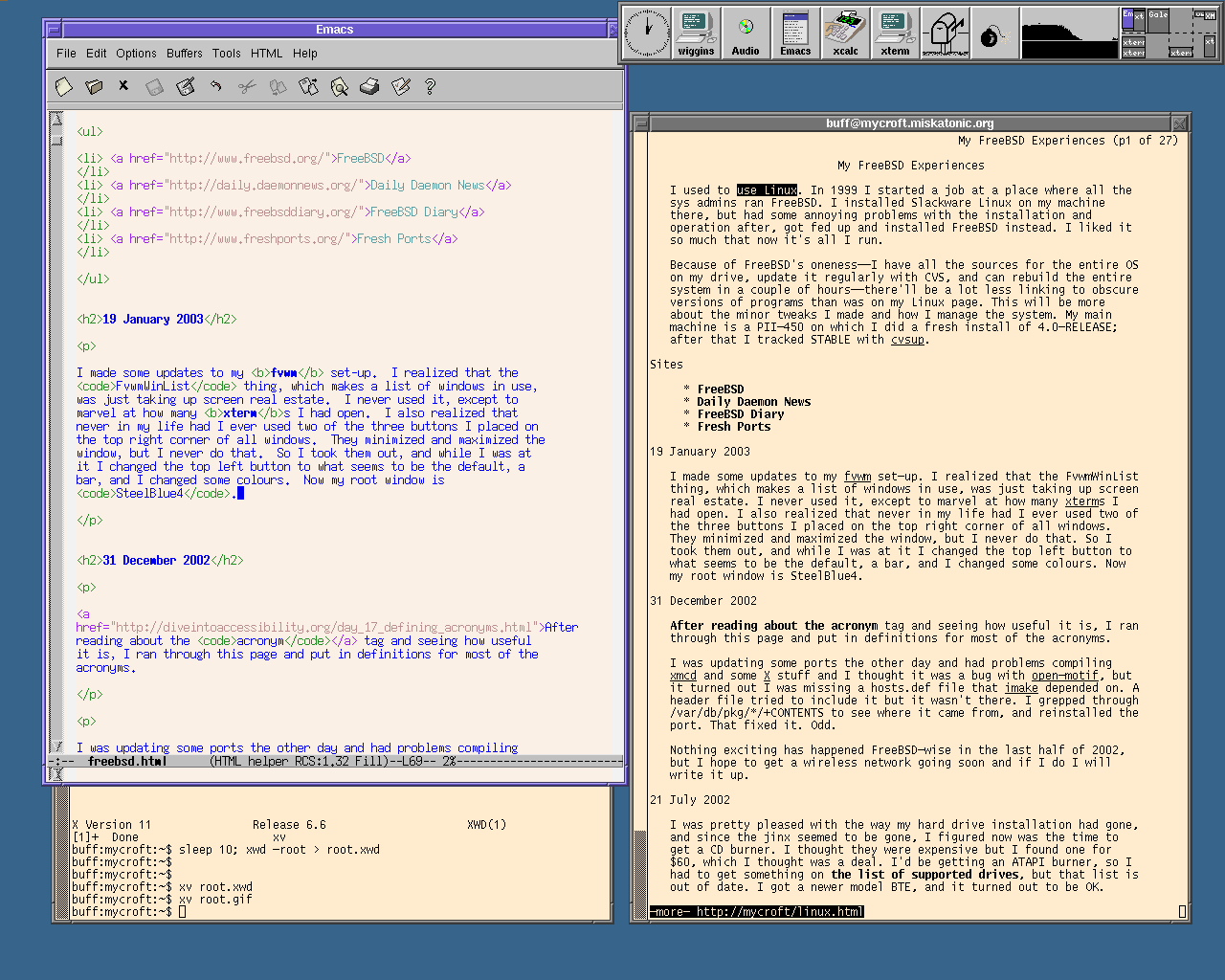
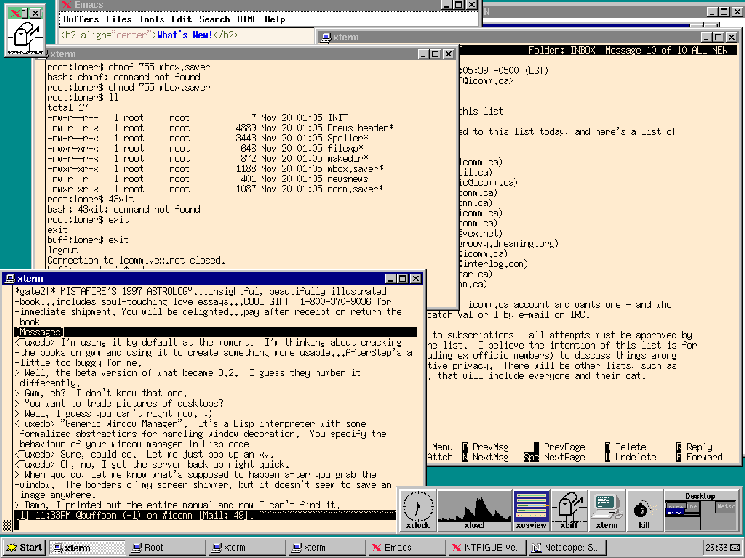
31 December 2002
Or, how I added abbr tags
After reading about the abbr tag and seeing how useful it is, I ran through this page and put in definitions for most of the abbrs.
I was updating some ports the other day and had problems compiling
xmcd and some X stuff and I thought it was a bug with
open-motif, but it turned out I was missing a
hosts.def file that imake depended on. A header
file tried to include it but it wasn't there. I grepped through
/var/db/pkg/*/+CONTENTS to see where it came from, and
reinstalled the port. That fixed it. Odd.
Nothing exciting has happened FreeBSD-wise in the last half of 2002, but I hope to get a wireless network going soon and if I do I will write it up.
21 July 2002
Or, how I installed a CD burner
I was pretty pleased with the way my hard drive installation had gone, and since the jinx seemed to be gone, I figured now was the time to get a CD burner. I thought they were expensive but I found one for $60, which I thought was a deal. I'd be getting an ATAPI burner, so I had to get something on the list of supported drives, but that list is out of date. I got a newer model BTE, and it turned out to be OK.
My CD-ROM
drive was in the top third of a metal case at the top of the computer
case, and the other two slots had some kind of metal gizmo in them.
It looked like something should fold down and support the drive, but I
ended up ripping the whole thing out and that solved the problem. I
set both drives to cable select and put the CD burner in as slave, so
it's my secondary slave now. It shows as /dev/acd1c, and
I made a /dev/cdrw symlink to that.
Using an ATAPI burner means I have to use burncd, which comes with the base system. I installed mkisofs as well. These pages were very helpful:
- FreeBSD Diary: cdrecord - writing your own CDs
- IDE CD burning
- The FreeBSD 'burncd' command
- FreeBSD Manual: Creating and Using Optical Media (CDs & DVDs)
To make a data CD, first I had to make an ISO 9660 image.
mkisofs -v -J -L -R -V "20020718 Backups" -o backup.iso BACKUPS
I ran that in the directory above where my BACKUPS/
directory is, and it made an ISO 9660 image containing all the files
inside. The options make it verbose, turn on some thing that allow
better filenames, and set a label. mkisofs has tons of
options. Once the image is made, I wanted to make sure it was all
right. There's no equivalent to tar's tvf, so you
have to do this, which is cool:
# vnconfig /dev/vn0c backup.iso
# mount_cd9660 /dev/vn0c /mnt
# ls -l /mnt
...
# umount /mnt
# vnconfig -u /dev/vn0c
You mount the ISO image as a fake file system and then check it out. Wild! I've never done that before. Everything looked fine, so it was time to burn.
burncd -e -v -f /dev/cdrw data backup.iso fixate
That went fairly quickly, and voila, my backup was done. I put the disc my regular CD drive, mounted it, compared the files, gunzipped and untarred them, and they were perfect. After some more experimenting--this was on a CD-RW, so I could blank it and try over--and I burned a CD-R and it was fine. To blank a CD-RW, you do this:
burncd -v -f /dev/cdrw blank
I did a lot of that while testing. I hosed one CD-RW, too, thought I don't know why. The drive wouldn't see it. I threw it out. To make an ISO image of an existing CD, I did this:
dd if=/dev/cdrom of=quicktax.iso bs=2048
You need to specify bs or else it won't work.
Everything's worked nicely, except that I can't make an audio CD. I
took some WAV files and did what burncd's man page said to do,
but all I got was a CD that my computer thought had one song on it,
which went backwards in time, and which my CD player wouldn't
register. If I get it working, I'll post notes here. It's nice to be
able to make your own mix CDs, but mostly I want this for backups (and
MP3s).
One other thing: my NFS
mounts weren't working, but the problem was that I forgot that while
mount points on the same disk have to be listed on the same lines in
/etc/exports, different disks have to be on different
lines. My /usr/ports is actually
/disk2/ports, and since it's a different disk (and
symlinks can't be listed) I put it on a separate line and now it's
fine.
20 July 2002
Or, how mysterious sshd syslog entries are nothing to worry about
I noticed these lines in my syslog:
Jul 18 09:34:56 mrs-hudson sshd[15667]: scanned from 218.4.74.53 with SSH-1.0-SSH_Version_Mapper.  Don't panic.
Jul 18 09:34:56 mrs-hudson sshd[15666]: Did not receive identification string from 218.4.74.53.
They come from ScanSSH. My sshd is right up to date, so I'm not worried.
6 July 2002
Or, how ADSL was fixed
My ADSL problems were caused by a faulty DSLAM port at the central office. It was fixed and my line's working perfectly.
I got samba working by copying what I did on 27 November 2001,
below. Worked the first time, except I forgot that later I'd set
read only to no so I could write to the network-mounted
drive.
4 July 2002
Or, how I got audio MIME types working
Now that I've got a high-speed connection (which Bell says they fixed
again, and it's working well tonight), I want to get into some of that
Internet audio before it goes away or I have to pay. I browsed around
and got confused by all the pls and m3u
files and MIME types. RealAudio worked OK, but
what did I need to do to get streaming MP3s working? After a bit of
looking around I added some lines to my .mailcap and
.mime.types files. To my .mailcap:
# Streaming MP3s
audio/mpg;xmms %s
audio/mpeg;xmms %s
audio/x-mpeg;xmms %s
audio/mpegurl;xmms %s
audio/mpeg-url;xmms %s
audio/x-mpegurl;xmms %s
audio/x-mpeg-url;xmms %s

# MP3 URL
audio/m3u;xmms %s
audio/x-m3u;xmms %s

# Shoutcast playlists
audio/scpls;xmms %s
audio/x-scpls;xmms %s
And to my .mime.types:
audio/mpg        mp3 mp2 mpega MP3
audio/mpeg       mp3 mp2 mpega MP3
audio/x-mpeg     mp3 mp2 mpega MP3

# MP3 URL
audio/mpegurl    m3u
audio/mpeg-url   m3u
audio/x-mpegurl  m3u
audio/x-mpeg-url m3u
audio/m3u        m3u
audio/x-m3u      m3u

# Shoutcast playlists
audio/x-scpls    pls
audio/scpls      pls
The various RealAudio entries I left alone. Lynx can handle all these kinds of files properly now, and just hands them off to xmms (creating an instance if it's not already running). In Galeon I had to add some MIME types and handlers in by hand, which seems stupid. I still can't get the PLS files working in it, but it seems like most people use M3U. Live365 works, and they've got lots of different kinds of music, and lots of different kinds of annoying pop-ups.
3 July 2002
Or, how I got MySQL working again
Next on the list was MySQL and Mrs. Abbott, my library catalogue program. I installed MySQL from the ports. Again it said
PLEASE REMEMBER TO SET A PASSWORD FOR THE MySQL root USER !
This is done with:
/usr/local/bin/mysqladmin -u root -p password 'new-password'
/usr/local/bin/mysqladmin -u root -h mycroft -p password 'new-password'
See the manual for more instructions.
I ran mysql:
/usr/local/etc/rc.d/mysql-server.sh start
And again, as on 2 November 2000, I couldn't set the password the way they recommended. Later I thought perhaps I should have done
mysql -u root -p
and gone from there, but by that time it was too late. I'd done it as I'd done it before:
root:mycroft:/usr/local/etc/apache2$ mysql -u root -p mysql
Enter password: HIT ENTER
Reading table information for completion of table and column names
You can turn off this feature to get a quicker startup with -A

Welcome to the MySQL monitor.  Commands end with ; or \g.
Your MySQL connection id is 5 to server version: 3.23.51

Type 'help;' or '\h' for help. Type '\c' to clear the buffer.

mysql> SELECT Host, User, Password FROM user WHERE User = 'root';
+-----------+------+----------+
| Host      | User | Password |
+-----------+------+----------+
| localhost | root |          |
| mycroft   | root |          |
+-----------+------+----------+
2 rows in set (0.00 sec)

mysql> SET PASSWORD FOR root@mycroft = PASSWORD('hushhush');
Query OK, 0 rows affected (0.01 sec)

mysql> SET PASSWORD FOR root@localhost = PASSWORD('hushhush');
Query OK, 0 rows affected (0.00 sec)

mysql> SELECT Host, User, Password FROM user WHERE User = 'root';
+-----------+------+------------------+
| Host      | User | Password         |
+-----------+------+------------------+
| localhost | root | 2d4al9dbwer1e97b |
| mycroft   | root | 2d4al9dbwer1e97b |
+-----------+------+------------------+
2 rows in set (0.00 sec)
Looking good. MySQL root passwords set. Next up, create the library
database. I had a slighty out of date dump I wanted to restore. I
had to create a library database and a user named
marion.
mysql> create database library;
Query OK, 1 row affected (0.00 sec)

mysql> grant select, insert, delete, update on library.* to marion@localhost;
Query OK, 0 rows affected (0.00 sec)

mysql> SET PASSWORD FOR marion@localhost = PASSWORD('ontheqt');
Query OK, 0 rows affected (0.00 sec)

mysql> grant select, insert, delete, update on library.* to marion@mycroft;
Query OK, 0 rows affected (0.00 sec)

mysql> SET PASSWORD FOR marion@mycroft = PASSWORD('ontheqt');
Query OK, 0 rows affected (0.01 sec)

mysql>  SELECT Host, User, Password FROM user;
+-----------+--------+------------------+
| Host      | User   | Password         |
+-----------+--------+------------------+
| localhost | root   | 2d4al9dbwer1e97b |
| mycroft   | root   | 2d4al9dbwer1e97b |
| localhost |        |                  |
| mycroft   |        |                  |
| localhost | marion | aaaaf2fe0c123456 |
| mycroft   | marion | aaaaf2fe0c123456 |
+-----------+--------+------------------+
6 rows in set (0.00 sec)

mysql> delete from user where user = "";
Query OK, 2 rows affected (0.00 sec)

mysql>  SELECT Host, User, Password FROM user;
+-----------+--------+------------------+
| Host      | User   | Password         |
+-----------+--------+------------------+
| localhost | root   | 2d4al9dbwer1e97b |
| mycroft   | root   | 2d4al9dbwer1e97b |
| localhost | marion | aaaaf2fe0c123456 |
| mycroft   | marion | aaaaf2fe0c123456 |
+-----------+--------+------------------+
4 rows in set (0.00 sec)
Now I had root and marion set up. I found that to login as marion I had to have the mycroft host set, so I deleted the localhost one.
mysql> delete from user where user = "marion" and host = "localhost";
Query OK, 1 row affected (0.00 sec)

mysql>  SELECT Host, User, Password FROM user;
+-----------+--------+------------------+
| Host      | User   | Password         |
+-----------+--------+------------------+
| localhost | root   | 2d4al9dbwer1e97b |
| mycroft   | root   | 2d4al9dbwer1e97b |
| mycroft   | marion | aaaaf2fe0c123456 |
+-----------+--------+------------------+
3 rows in set (0.00 sec)
But then I couldn't login, so I redid the two commands above to create marion@mycroft. As you can see, I'm a bit hazy on some of these details, but I get there in the end. Now I could run
mysql -u marion -p library
and login to the library database. The last thing was to restore it from the backup. As before, I had to run this as root:
mysql -u root -p library < /tmp/library-20020530.sql
And it was all back. It was a simple matter to get the old Mrs. Abbott Perl CGIs working under Apache with the new directory structure. The MySQL port even installed the Perl DBI modules I needed.
2 July 2002
Or, how I got Apache going again
I got Apache going tonight. Usually I install it my own way, but I
decided this time I'd do it from the ports. I installed it, and
edited /usr/local/etc/apache2/httpd.conf. I made myself
the ServerAdmin, set the AddHandler directive for CGIs, and then
decided I should just make all my hosts virtual ones. Also, the host
library needed to have index.cgi work if I didn't want to
use index.html. After a bit of experimenting and a
glance at the docs, I stuck this at the bottom:
NameVirtualHost 10.1.0.3

<VirtualHost 10.1.0.3>
    ServerAdmin wtd@pobox.com
    DocumentRoot /usr/local/www/server/mycroft/htdocs
    ServerName mycroft.miskatonic.org
    ServerAlias mycroft
    ErrorLog /usr/local/www/logs/mycroft_error.log
    CustomLog /usr/local/www/logs/mycroft_access_log combined
    ScriptAlias /cgi-bin/ /usr/local/www/server/mycroft/cgi-bin/
    <Directory /usr/local/www/server/mycroft/htdocs>
        Options Indexes FollowSymLinks ExecCGI
    </Directory>
</VirtualHost>

<VirtualHost 10.1.0.3>
    ServerAdmin wtd@pobox.com
    DocumentRoot /usr/local/www/server/library/htdocs
    ServerName library.miskatonic.org
    ServerAlias library
    ErrorLog /usr/local/www/logs/library_error.log
    CustomLog /usr/local/www/logs/library_access_log combined
    ScriptAlias /cgi-bin/ /usr/local/www/server/library/cgi-bin/
    <Directory /usr/local/www/server/library/htdocs>
        Options Indexes FollowSymLinks ExecCGI
    </Directory>
</VirtualHost>
/usr/local/www/server/ will be where I house the files
for the sites. mycroft is the working version of this site, and where
I experiment, and library is for my library catalogue. I made those
directories, ran apachectl start, and it worked for mycroft.
Bingo! I made library point to the same IP number as mycroft, and it
all seemed to work, though I got confused for a few minutes because
Galeon was caching old results and it looked like
http://library/ was showing the same home page as
http://mycroft/. There's no "real" host, and I've never
set up a server that way before. It's sensible, though, and works
nicely.
1 July 2002
Or, how I got an ADSL connection up
Happy Canada Day.
I got an ADSL connection to E-Gate, which is where I read my mail and host this site. They shipped me a GVC BB0040 ADSL modem. I plugged it in, and after a couple of days the synch light stopped blinking and went solid. I tried to get the connection up, but the light went back to blinking. Nothing every goes smoothly. E-gate dealt with Bell and the line was fixed. I got the connection up very easily. First, I added this to /etc/ppp/ppp.conf on mrs-hudson:
egate:
 set device PPPoE:ste0
 set authname myusername
 set authkey mypassword
 set dial
 set login
 add default HISADDR
ste0 is the ethernet card into which the modem is
plugged. In /etc/rc.conf I commented out the
old PPP stuff and added new lines for this modem:
# PPP stuff
ppp_enable="YES"

# PPPoE
ppp_mode="ddial"
ppp_nat="YES"
ppp_profile="egate"

# Regular analog dial-up
#ppp_mode="auto"
#ppp_nat="YES"
#ppp_profile="netcom"
The ddial mode means that if the connection dies, the
daemon will bring it back. I tried ppp -ddial -nat egate
on the command line, and it worked, so I rebooted to make sure it was
all good. Everything on my end was fine.
There was some kind of problem with the line: every two minutes or so the modem would lose synch. The connection would freeze, the light on the modem would blink, then go solid, and my connection would come back. The PPP daemon never noticed anything wrong. It was damned annoying, but tonight I haven't had any problems, so E-Gate's problem report must have been noticed by Bell and fixed. I'm very happy with the speed tonight.
25 June 2002
Or, how I recovered from a hard disk failure
Came home last Thursday and found mycroft had crashed! The hard drive was dead: when I rebooted, it would make clicking noises but never find any files or be able to boot. Argh!
I went out and bought two new Maxtor 40 gig drives. I put them in but the system wouldn't recognize them. The best I could do was to get one to show up as a primary slave. I don't like fooling with hardware, and all the fiddling and recabling was making me a bit nervous. I found the specs for the drive on Maxtor's web site, and noticed they require the newer 80-wire IDE cables. I was using the 40-wire kind, which was all the old drives needed. This page on pcguide.com was very helpful--that's a great site for learning about PC hardware. It's thorough and well-written. I went out and bought some 80-wire cables, but I still couldn't get the drives working.
I'd just assumed my BIOS could support drives that large, but it turns out they can't. Thank heavens for Google's Usenet archive. (I have an ASUS P5A Super7 motherboard, and there's nothing on ASUS's web site about it any more. I won't buy from them again.) I had two choices: upgrade the BIOS, or buy smaller drives. There's no way I was going to fool with the BIOS, and I just wanted the damned thing to work, and fast, so I took the drives back and got two 20 giggers. I took them away, tested them, one worked, the other was broken! Argh! I had to go all the way back and get a replacement, but finally I got it working. I didn't have enough cable to make each drive a master, so I put them both on the primary IDE controller as master and slave, and left my CD-ROM drive as secondary master. I set both drives to "cable select" and it all just worked.
To install the OS, I burned a CD of the new 4.6-RELEASE and set my BIOS so it could boot off CD. I stuck the CD in, booted up, and it worked! I didn't need the two boot floppies like I've always used before. Very nice. I downloaded cvsup and got my ports and source right up to date, tweaked the kernel config and added sound support, made world and all was looking good.
I'd bought two new D-Link NICs (or ethernet cards, as I still call them) to put
into mrs-hudson. One would replace my old NIC for my local network, the other would be
for ADSL, and my old 10 megabit card would wait until I
got a wireless network going. I had some trouble figuring out just
which driver the DFE-530TXS uses, so I just enabled every
D-Link-related driver, installed a new kernel, and waited. It saw
them as ste devices, so I redid the kernel with just that
and it was all set.
Along the way, I learned that there's no way to get into a Compaq Deskpro 2000's BIOS unless you have a special Compaq thing installed (which presupposes that you use Windows). If you have it, then F10 on boot will let you edit the BIOS settings. If you don't have it, you're out of luck. That's really annoying.
Back on mycroft, I symlinked /dev/cdrom -> /dev/acd0c and
got sound going with sh MAKEDEV snd1 and all was right
with the world. I just had a lot of downloading to do, and believe
me, on a 28.8 Kbps modem, it takes a long time to download
XFree86, GNOME, Emacs and all the rest
Conclusions: the entire innards of a PC are stupid. Different cables, different screws, the chances of shorting something, it's nuts. All cabling that's more complicated than a phone cord or an RCA jack is crap. I should be able to buy a disk cube that has some plugs in one end and when I plug it into a slot (into which it fits only one way) in my computer, it just works.
1 June 2002
Or, how I started catching fetchmail errors
Further to the note on 7 April 2002: I upgraded to Xfree86 4.2
again, and this time it worked. I'd seen the answer go by on the
freebsd-stable mailing list: turns out all I needed to do
was add this line to /etc/X11/XF86config in the "Device"
section:
Option "composite_sync" "Off"
And further to the note of 17 November 2001, it turns out that for the last month and a half I was making a bit of an ass of myself. My twice-hourly automated fetchmail download of mail from a POP server had stopped working (fetchmail had died and left ~/.fetchmail.pid sitting around, which it uses as a lock file) but I didn't notice, so I kept sending out mail from the address but never got any replies. They were accumulating on the POP server. I thought everyone was ignoring me. Eventually I noticed, and I added some error-checking to the script:
if [ $? -ne 1 ]; then
  echo "Fetchmail error downloading FIS mail ... please investigate" | \
  mail -s "FIS fetchmail error" wtd@pobox.com
fi
Never forget: always check for errors!
10 April 2002
Or, how I avoided installing PHP unnecessarily
A while ago I was upgrading all my ports and found that SWIG-devel ("a tool for automatically generating the wrapper code needed to link collections of functions written in C/C++ with interpreted scripting languages") now required PHP. I don't use it and I didn't want it installed, especially because it in turns requires Apache, which I do use, but installed my own way and not from the port.
I tried some options in /usr/local/etc/pkgtools.conf, but
nothing worked, so I mailed the maintainer. He responded very quickly
and said I should set the environment variable SWIG_LANGUAGES, which
is set in the Makefile thusly:
SWIG_LANGUAGES?= guile perl php4 python ruby tcl
I set it to guile perl python ruby tcl and it installed
just how I wished. I put this into /etc/make.conf so I
won't have to worry about it again, but I'll keep an eye out in case
new languages are added. Now I know what the ? means in
ports makefiles: if it's not set, use this value.
7 April 2002
Or, how I upgraded X but then went back
Last week I decided to upgrade XFree86 to version 4.2. I used pkg_delete -f to get rid of the old version, then did a make install on the new one. I've had very little trouble with X in the past and expected none now, but this time it didn't work. When I started X, it came up normally, then went black as though I'd killed the session. Then it came back on, then off ... then on ... then off and on. Sometimes fast, sometimes slow. I didn't know what the hell was happening, but I knew a guy who knew a guy who made his monitor smoke because he got his XF86Config settings wrong, so I killed X pronto. I looked around www.xfree86.org and couldn't see any such problem mentioned, but when I asked on freebsd-stable, two people who also have Mach 64 video cards said the same thing had happened to them (one on FreeBSD, one on Linux). They'd gone back to XFree86 4.1, so I figured I'd better too.
To do this, I decided to cvsup into the past. I've seen people talk about this but never tried it. First, I had to see when the port had gone to version 4.2, so I checked the ports cvsweb. Revision 1.105, the last while it was 4.1, was dated Mon Jan 7 19:51:22 2002. The cvsup man page says:
date=[cc]yy.mm.dd.hh.mm.ss
        This specifies a date that should be used to select the revi-
        sions that are checked out from the CVS repository.  The
        client will receive the revisions that were in effect at the
        specified date and time.
        At present, the date format is inflexible.  All 17 or 19
        characters must be specified, exactly as shown.  For the
        years 2000 and beyond, specify the century cc.
So I wanted something around 2002.01.08.00.00.00. I added
*default date=20020108000000 to
/etc/ports-supfile, then commented ports-all
and uncommented all the x11- ports. I cvsupped
the ports, and all the X stuff was reset back to how it had been in
January. I used pkg_delete to get rid of all the 4.2 stuff,
then did a make install to put the 4.1 in. No problems,
and now X is working properly. To get the ports back to normal, I
reset ports-supfile and ran cvsup without the
-s option, which I usually use. That made it recheck
every single file, and all the old ones were brought back to current.
21 March 2002
Or, how I upgraded to 4.5-STABLE
Upgraded mrs-hudson to 4.5-STABLE. Had to edit
/etc/rc.conf to change the log_in_vain
setting from YES to 1. Nothing else needed changing (except for what
mergemaster did, of course). I built the world and kernel on
mycroft, then installed them on mrs-hudson and ran mergemaster,
all without rebooting to single-user mode, which I like to do to be on
the safe side. A successful upgrade, done, for the first time,
entirely over the network, without logging in to the console. Very
nice.
16 March 2002
Or, how I made the new Galeon port work
The new Galeon port, the one using Mozilla 0.9.9, won't compile. I found the answer in the freebsd-ports mailing lists archives: deinstall freetype (version 1, though the error comes from version 2) then reinstall from a freshly cvsupped ports collection. After that, Galeon will go in fine.
The opendx port won't compile, and the package doesn't work right either.
16 February 2002
Or, how I twiddled X
Somehow a combination of upgrading XFree86-4 and Mesa erased some GL libraries I needed. I upgraded X again, and they appeared. Then I had a fresh problem when I tried to run xscreensaver and some other things:
Xlib: extension "GLX" missing on display ":0.0".
I had to restart X after uncommenting a line from
/etc/X11/XF86Config:
Load "glx"
19 January 2002
Or, how I set up my printer with samba
Getting my printer set up in samba was pretty simple. I made
/var/spool/lpd/samba, set permissions so anyone could
write to it, and put these lines in smb.conf:
[printers]
 comment = Printers
 path = /var/spool/lpd/samba
 browseable = no
 public = yes
 writeable = no
 printable = yes
I restarted samba with /usr/local/etc/rc.d/samba.sh (stop | start). Then, on the Windows box, I went to Start | Settings | Printer | Add Printer, browsed and found the printer on the network, and ended up with Windows being unable to install the printer. It told me to reboot and try again, and if that didn't help, to contact my system administrator. I rebooted, it didn't work, I asked myself what was wrong, and cursed myself for having a bad Windows admin. I have no idea why it doesn't work.
12 January 2002
Or, how I set up my printer
I got an Epson Stylus C60 printer last year. It's an inexpensive inkjet that can do colour or plain black, and Epson printers seem to be universally supported by Unix utilities. It works well under Windows, but today I decided it was time to get it hooked up to my main FreeBSD box and make it available to Windows with samba. The first thing I did was check my local copy of the Handbook (in /usr/share/doc/handbook/) to see what it said about printing, and then I went to the FreeBSD Diary. I made sure lpt0 showed up in dmesg output and that the printer device was in my kernel config, and then I installed apsfilter from the ports. It dragged a bunch of other stuff along with it, like a2ps-letter, ImageMagick and teTeX, and it took an awfully long time to download it all on my modem. An awfully long time.
When it was all done, I did as it told me and ran cd
/usr/local/share/apsfilter; ./SETUP. I can't say as I think much
of the way this was set up. There are unreadable ASCII graphics
spelling out words I couldn't decipher and some screens went by where
I think I missed something important but I'm not sure because I had to
keep hitting RETURN to get to where I wanted. I got it working,
anyway. I told it I wanted to use the standard Epson Colour driver,
gave it DPI settings, told it to use /dev/lpt0, a couple
of other little things, and then when I asked for a test page it
turned out a nice one. Sweet! Even the colours look good. It
appended the proper stuff to /etc/printcap, I ran
lpd, then (since I called this printer epson), I
ran lpr -P epson book-map.pl and it pretty-printed a Perl
script, with colour syntax highlighting and all. Much easier than I'd
expected.
Since I don't want black-and-white to be the default, I reran the
set-up script again and this time had it use monochrome. It kept all
the settings from the previous config, so that's all I had to change.
I called this one lp, and it generated
/usr/local/etc/apsfilter/lp/apsfilterrc:
#
# don't delete these settings
#
PRINTER='stcany_h.upp'
PAPERSIZE='letter'
METHOD='auto'
QUALITY='medium'
COLOR='mono'
RESOLUTION='2880x720'

#
# additional configuration follows
# insert settings as seen in /usr/local/etc/apsfilter/apsfilterrc
#
lpr book-map.pl works like it should.
8 December 2001
Or, how I upgraded mrs-hudson to STABLE from mycroft
I'd always noticed that when I sshed into mrs-hudson
(4.2-RELEASE) it would trigger a name server lookup that made the
system dial my ISP. I thought this was odd, but figured it might
just be badly done DNS
on my part. Recently logins started taking a really long time,
though, so it was time to investigate. First I cranked up debugging
on mrs-hudson's sshd, but that didn't show anything helpful.
Then I went for full debugging on mycroft's named, by adding
this to /etc/namedb/named.conf:
logging {
         channel default_debug {
         file "named.run";
         severity dynamic;
        }
}
When I restarted named it began dumping immense amounts of stuff to named.run. Seems that when I tried to login to mrs-hudson, the sshd tried to resolve krb5-realm.org. Why? Turns out the daemon was buggy and always checked Kerberos stuff even if you weren't using Kerberos. It had always had this bug, but just recently whoever owned that domain stopped the name service on it, so all lookups would fail after a long delay. That's why my logins were taking so long. I asked in news for the recommended solution, but got no answer. Two options: make my local name server think it's authoritative for that domain, or upgrade the sshd.
Since 4.2-RELEASE is over a year old, and has a few security problems,
and I wanted to avoid some other work, I decided it was time to do a
full upgrade using the world made on mycroft. Doing it all on
mrs-hudson, a P-100, would probably take a day, but I have mycroft's
/usr/src, /usr/obj and
/usr/ports mounted on mrs-hudson. I rebuilt mycroft, and
that went fine. On mrs-hudson, I checked the kernel config, built it,
and installed it, then installed the world mycroft had made. That
took an hour or two, but went well because I'd remembered
/usr/obj has to be mounted too. Then mergemaster
-v brought it all up to date, I rebooted, and everything worked
flawlessly. I added two line to /etc/rc.conf to tighten
up the system a bit:
# Make syslog so secure it won't open up a socket
syslogd_flags="-ss"
Now I can keep both systems in line and up to date by compiling everything on the fast machine and then just having the slow one copy files around.
1 December 2001
Or, how I installed X and fvwm on a Windows box
I made my MP3 directory mode 777 and changed the read only option below to no, and that let me have full access to it from my Windows box.
Yesterday I installed Xfree86-4 on wiggins! You can download the Windows version from Cygwin. The install went perfectly and then I installed fvwm, copied over my .xinitrc and .Xresources, and I was set. It's slow, but it's X on Windows.
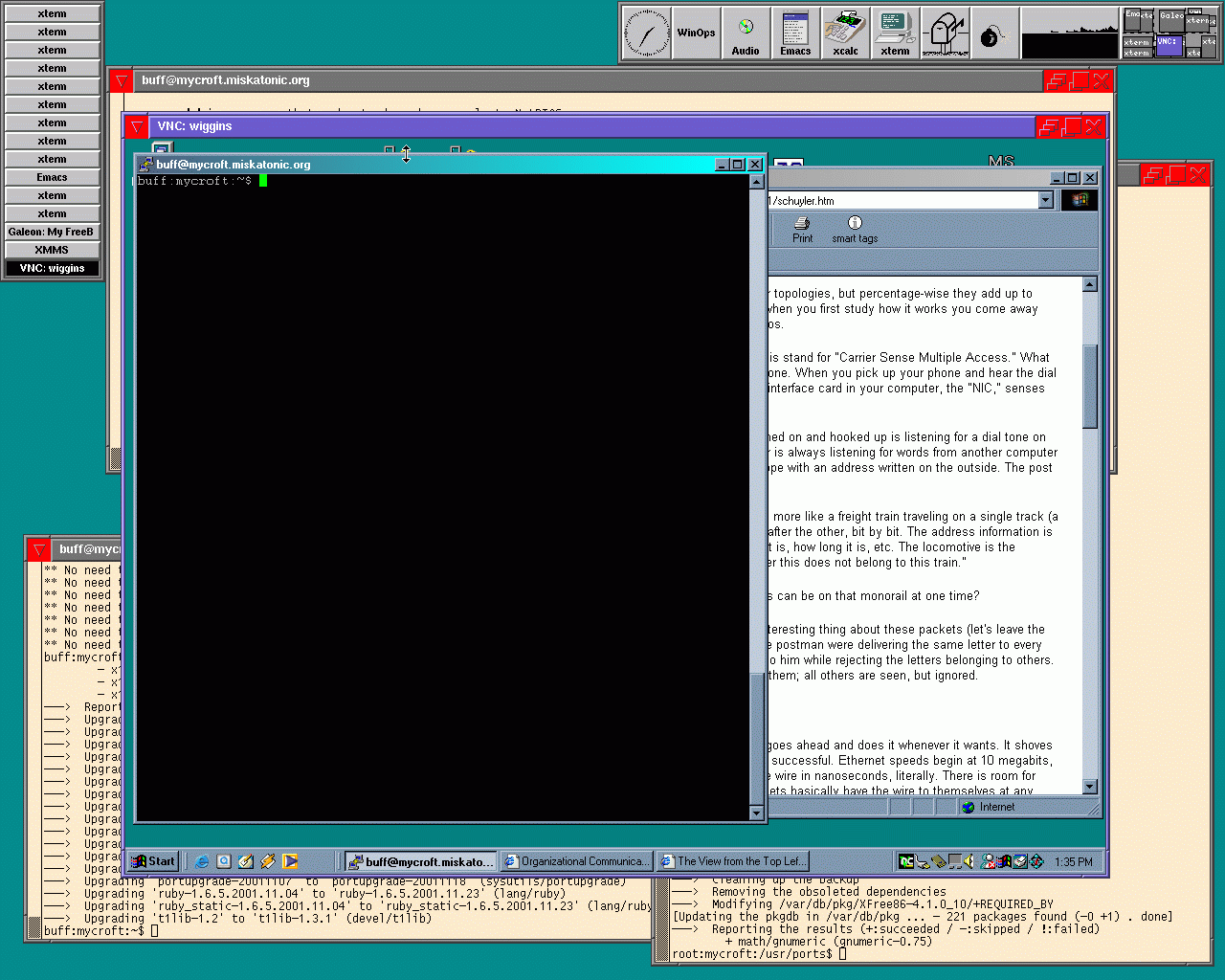
27 November 2001
Or, how I installed samba
Today I decided to install samba. I want to share some MP3s from my FreeBSD machine (mycroft) to my Windows box (wiggins). It turned out to be pretty easy. I installed it from the ports, of course, then when I wasn't sure what to do I nipped over to the FreeBSD Diary's entry on samba which is very helpful. I had a /usr/local/etc/smb.conf.default thanks to the port, and I copied it to /usr/local/etc/smb.conf. I made /var/log/samba/, and made it mode 700 root.
Next I edited smb.conf, made a few changes, started the daemon smbd, ran smbclient //mycroft/mp3, and it worked. I couldn't see anything from wiggins, though. After running through SAMBA diagnostics, I realized I hadn't run nmbd. Silly me. They're both mentioned in /usr/local/etc/rc.d/samba.sh.sample, which I renamed to samba.sh so it'll start up on boot.
So, I'll skip over all my troubleshooting and jump to the end. My
smb.conf now looks like this:
[global]
 workgroup = MISKATONIC
 server string = Samba Server
 remote announce = 10.1.0.255/MISKATONIC
 hosts allow = 10.1.0.
 log file = /var/log/samba/log.%m
 max log size = 50
 security = share
 socket options = TCP_NODELAY
 dns proxy = no

# [homes]
#   comment = Home Directories
#   browseable = no
#   writeable = yes

[mp3]
   comment = MP3s
   path = /usr/local/MP3
   read only = yes
   public = yes
remote announce makes mycroft appear in wiggins's Network
Neighbourhood. The other stuff is default, except for log
file, which the Diary said I should change, and
security, which I set to share, because I
just want to export the MP3s without carrying about a login. All this
is behind my firewall so I'm not too concerned about some hacker being
able to see my Streetheart MP3s.
When all that was set up, I ran smbd and nmbd and then headed over to wiggins. First I went into Control Panel | Network and set it so it knew its name was wiggins and its workgroup MISKATONIC. Then once more I followed instructions from the Diary:
- Started Windows Explorer
- Selected Tools | Map Network Drive
- Chose M: as the drive to map
- Entered
\\mycroft\mp3in the Path field, "mycroft" matching the server name and "mp3" being the entry insmb.conf
And it worked! I don't have myself set up as a user on the Windows box, so I can't seem to get it so I can login through samba to mount a home directory or something protected. I'll see about figuring that out.
End result: two files edited, one directory made, two daemons started, a bit of Windows configuration, and it's working. Quite simple, really.
I should add that in the middle of getting this going I got tired of running back and forth between rooms and installed vnc on wiggins and the viewer on mycroft. Sweet!
25 November 2001
Or, how I turned on log_in_vain
I used portupgrade on XFree86-4 the other day, and something went wrong. I had no fonts installed, and some setuid problem kept the X server from starting. I reinstalled by hand from the ports, did wrapper again too (I don't use xdm so I need it), and that did the trick.
A cow-orker put me hip to an option in /etc/rc.conf
that's pretty nifty: log_in_vain. Its description is:
"YES to log connects to ports w/o listeners." I turned it on, ran the
relevant bit from /etc/rc.network (sysctl -w
net.inet.tcp.log_in_vain=1 and sysctl -w
net.inet.udp.log_in_vain=1) and voila, my syslog is now noting all
those probes from hackers. Very interesting. My gateway machine only
has sshd running, and is only up intermittently, so I've never
been too concerned with firewalling. When I get a permanent
connection of course I'll be more careful.
17 November 2001
Or, how I tied together fetchmail and procmail
I've got a new mail account that's on a POP server on a Windows network. I know, it's pretty sad. But I've got to read the mail and POP is all they allow. I can use Pine, but it makes me log in all the time and it's annoying. Plus, Pine kept deleting the mail from the server even when I told it not to. I wanted something I could run from a cron job that would go get the mail for me and handle it locally, and fetchmail looked like just the ticket.
I got it working without problem on my home machine and another system, but there were problems on the shell server where I handle all my mail. Running fetchamil verbosely gave, in part, this:
fetchmail: SMTP> HELO localhost
fetchmail: SMTP< 250 odin.egate.net Hello localhost.egate.net [127.0.0.1], pleased to meet you
fetchmail: SMTP> MAIL FROM:<FETCHMAIL-DAEMON@localhost>
fetchmail: SMTP< 550 5.7.1 Access denied
I finally figured out it was saying access denied because
I was talking to odin.egate.net when I should have been talking to
mail.egate.net. They're the same machine, same IP number even, but
sendmail is set to be so strict that it was denying attempts to
deliver mail if the hostname wasn't right. I'd never seen this
before, but I guess it's a spam-fighting technique. Lesson learned:
talk to the right MX host, and use the --smtphost option.
It looks like you can use fetchmail on machine A to get mail
from the POP server on
machine B and deliver it to an account on machine C.
So now I could go get mail from the POP server and deliver it locally. Thing is, I wanted to filter it with procmail so that all mail sent to that address would go into the same inbox. Being as it's a Windows network, the e-mail is mostly broken and you can't rely on addresses to be complete or guarantee anything sensible will be in the headers at all. It's pretty crazy. I decided to force the incoming mail through formail and add a header line to it, then have procmail filter on that header. Kind of rickety, but it works. While I was reading the fetchmail man page, I saw you can tell it which mail delivery agent you want to use, so I had it bypass sendmail to avoid all the above ugliness. What I ended up with is a shell script like this:
#!/bin/sh

PATH=/bin:/usr/bin:/usr/local/bin
LOG=~/.fismaillog

date >> $LOG

# --verbose off
fetchmail --protocol POP3 --mda \
"formail -A \"X-FIS: yes\" | procmail -d buff" \
pop-server.utoronto.ca >> $LOG 2>&1
My password is stored in my ~/.fetchmailrc, along with
some options:
poll pop-server.utoronto.ca with proto POP3
       user 'denton' there with password 'secret' is 'buff' here options keep
And this is in my .procmailrc:
:0:
  # Anything with an X-FIS header
  * X-FIS
  FIS
Anything with my specially added X-FIS header is caught
and handled. I run the shell script once an hour with cron and
everything's peachy.
27 October 2001
Or, how I had a GNOME problem
I was going some more portupgrade work and thought I'd run it
on GNOME, which in the ports is a sort of meta-package just
listing other stuff that should be there. It ran into the same
problem with gnomemc that I mentioned before, but I had a
closer look at it. The problem was a bad comment in
/usr/local/include/global.h, which seems to belong to
ntp. I checked the updated source for it and the comment thing
was fixed, so I edited the real file by hand and ... gnomemc
failed on a syntax error in one of its own header files. Stupid
thing. Now I'll never be able to compile anything that looks for the
GNOME package. I mailed the maintainer of the port about it.
In other news, Emacs 21 is out. Hubba hubba!
8 October 2001
Or, how I upgraded X
I'm always nervous about upgrading X, because if something goes
wrong, well, I'd be stuck without a windowing system. Nevertheless, I
decided it was time to shift from XFree86 version 3 to version
4. I compiled it from source from the port, as I mentioned yesterday,
then backed up /usr/X11R6. I did a make
install, and then just had to configure the
/etc/X11/XF86Config. I ran xf86config and told it
horizontal and vertical refresh rates from my old config file. It did
the job fine, except for two things. First, I told it I had a
Canadian keyboard, when in fact it's American. When I fixed that my
control and / keys worked again. Second, I was only getting a 600x400
display, which is no good. I edited the Modes lines so that
"1280x1024" was the only option, and that fixed that. I never run at
lower resolutions anyway. With that, everything worked properly. I
tried web browsers, MP3 players, various X apps, and all were
fine.
I ran pkgdb --fix and fixed up all the remaining dependencies for packages that depend on X and thought I was using version 3. The x11/wrapper port wants to depend on a sub-Xfree86 package I don't have, so it's still not perfect, but it's about as good as I can get.
I just cvsupped the ports, and what do I see but:
Edit ports/x11/XFree86-4/Makefile Add delta 1.129 2001.10.06.21.20.06 jmz Checkout ports/x11/XFree86-4/files/patch-r128dri Checkout ports/x11/XFree86-4/files/patch-r128xmesa Edit ports/x11/XFree86-4/scripts/configure Add delta 1.82 2001.10.06.21.20.26 jmz
Half an hour later and I'm already out of date! I'll let it ride for a while. I'm in no rush to do another huge compile again. For now all I'll do is keep an eye on that gnomemc thing and keep all my ports clean.
7 October 2001
Or, still more about portupgrade
Over the last three days I've been upgrading ports one by one and fixing dependencies when necessary. I got it down so that the only ports I'm behind on are MySQL and the GNOME master package, the latter because gnomemc won't compile. I'll watch for fixes, and when it will compile, I'll freshen it up. I had some minor problems with some ruby ports and had to deinstall and reinstall some stuff, but nothing major.
portupgrade itself was upgraded while I was doing all this, so
I upgraded it. pkdepfix has disappeared, to be replaced with
pkgdb --fix. There's also a
/var/db/pkg/pkgdb.db file that seems to be a database of
packages and dependencies. portversion -v is good to
run, and portupgrade (1) has some good tips, such as "to
deinstall packages, give pkg_deinstall(1) a try instead of
pkg_delete(1). It is a wrapper of pkg_delete(1) with additional
features, such as recursive deinstall and shared library
preservation."
portversion -v /var/db/pkg/* caught a few things that
portupgrade had missed because of confusion over version
numbers. For example:
swig-1.3a3 > succeeds port (port has 1.3.6)
To make portupgrade go get the port, check dependencies, then
install, I had to -f force it, because it thought the
port was already up to date. Same with lynx.
I haven't mentioned XFree86, the biggest of all the ports. I'm running version 3, but am going to ugprade to version 4. I compiled it from source from the XFree86-4 port.
4 October 2001
Or, more about portupgrade
I've kept on upgrading ports, one by one, watching them as I go. Seems like sometimes there's a problem making one, perhaps I'm a few versions behind on some package it depends on. Instead of portupgrade handling it properly, the compile dies but the upgrade keeps on and the older version of the port is erased, but there's no new one to replace it. This breaks dependencies and eventually everything collapses.
2 October 2001
Or, how I used portupgrade on a lot of ports
I upgraded mycroft, my main box, to 4.4-STABLE and all is well. Soon I'll install XFree86 4.0, too.
One of the geeks at work mentioned portupgrade a while ago, and I've used it a few times since. It gave me some problems on Galeon and GNOME-related stuff, but it's certainly useful. This week said geek mentioned he'd used it to get all his ports upgraded and he wasn't behind on anything. Needless to say this made the rest of us envious and we were determined not to be stuck with stale out-of-date stuff from last week, like suckers.
First (after making sure the portupgrade port was installed, of
course), I ran portsclean -CDiL to clean up the ports
tree. This will delete any work directories and delete all the source
files for ports that aren't installed on your system. (Keep an eye on
/usr/ports/distfiles/ because it can get large.) It
found nine ports where I hadn't done a make clean, but no
unreferenced distfiles. It also created the two
/usr/ports/INDEX.(db|rbo) database files. This is also
done by portsdb, which I'd planned to run next. I did so
anyway (portsdb -uU, as per the man page), and it remade
them and /usr/ports/INDEX as well.
So now my ports tree was clean and ready. Time to clean up
dependencies and do some upgrades. I had a look at xv first,
because I knew it needed an upgrade and a dependency fix. In
/var/db/pk/xv-3.10a_1/+CONTENTS I found
@pkgdep tiff-3.5.5 @pkgdep png-1.0.10 @pkgdep jpeg-6b @pkgdep XFree86-3.3.6_8
xv depends on those four other packages (Xfree86 for obvious reasons; the others are libraries for different sorts of graphic file formats). I knew I'd upgraded the libpng package since I installed xv, and I also knew there was a slightly newer version of xv out there. It looked like a good test case. I ran pkgdepfix and (leaving out all the other reams of stuff), I saw:
Checking xv-3.10a_1 Stale dependency: xv-3.10a_1 -> XFree86-3.3.6_8: Skip this? ([y]es/[n]o/[a]ll) [yes]
What good is that? The +CONTENTS was unchanged. I have
png-1.2.0 installed. Why didn't it get upgraded?
Evidently because png-1.0.10 is still there. Well, to
hell with that. I ran pkg_delete -f png-1.0.10 (had to force
it or else it wouldn't go). The result: first, a list of dozens of
packages that depend on the png package, and then:
pkg_delete: `/usr/local/man/man3/libpng.3.gz' fails original MD5 checksum - deleted anyway. pkg_delete: `/usr/local/man/man3/libpngpf.3.gz' fails original MD5 checksum - deleted anyway. pkg_delete: `/usr/local/man/man5/png.5.gz' fails original MD5 checksum - deleted anyway. pkg_delete: `/usr/local/include/png.h' fails original MD5 checksum - deleted anyway. pkg_delete: `/usr/local/include/pngconf.h' fails original MD5 checksum - deleted anyway. pkg_delete: `/usr/local/lib/libpng.a' fails original MD5 checksum - deleted anyway.
That didn't look good. Now actual important files needed to make
stuff work were missing. Time to make deinstall reinstall the
port and make sure everything I needed was in place. So now
png-1.2.0 was in place and it was the only png
library on the system, but everything else was looking for the old
png-1.0.2 stuff. This would need fixing.
Right off the bat pkgdepfix gave me:
Checking JX-1.5.3_1 Stale dependency: JX-1.5.3_1 -> png-1.0.10: png-1.2.0 ? ([y]es/[n]o/[a]ll) [yes]
and I said a for all. Later on, after I'd skipped everything else, I got:
Checking xv-3.10a_1 Stale dependency: xv-3.10a_1 -> png-1.0.10: Fixed. (-> png-1.2.0)
and sure enough, /var/db/pkg/xv-3.10_a/+CONTENTS now
says:
@pkgdep tiff-3.5.5 @pkgdep png-1.2.0 @pkgdep jpeg-6b @pkgdep XFree86-3.3.6_8
so the dependency is up to date and all references to the old libpng have been deleted.
All right, that was enough of that for a bit. Why fix up all the
dependencies when I can do some upgrades and mess them up some more?
Time to get to portupgrade. portupgrade -nav will
list all the ports on your system that are out of date. While
running, it reported
---> Upgrading 'ruby-1.6.4.p5' to 'ruby-1.6.5' (lang/ruby) ---> Upgrading 'bash-2.04' to 'bash-2.05' (shells/bash2) ** No need to upgrade 'p5-HTML-0.6' (>= p5-HTML-0.6). ** No need to upgrade 'gsfonts-5.10' (>= gsfonts-5.10). ** No need to upgrade 'ruby-uri-0.9,1' (>= ruby-uri-0.9,1).
and so on (note that the -n switch means it doesn't
actually do what it says it's doing), and eventually you get a list
like this:
---> Reporting the results (+:succeeded / -:skipped / !:failed)
+ lang/ruby (ruby-1.6.4.p5)
+ shells/bash2 (bash-2.04)
- www/p5-HTML (p5-HTML-0.6)
- print/gsfonts (gsfonts-5.10)
- net/ruby-uri (ruby-uri-0.9,1)
You get a nice big list telling you exactly (unless the version
pattern matcher is off) which of your ports are up to date and which
could need freshening, much like pkg_version. I wanted to
upgrade something GNOME-related, and I picked gnomevfs,
with which I'd had a small problem at work when I did some of this. I
summoned the awesome power of portupgrade -Rv gnomevfs
and had at it. This would upgrade gnomevfs and all of the
packages on which it depended. It went on for a while, then stopped
because oaf and scrollkeeper had had errors.
scrollkeeper couldn't install because libxml couldn't be
found. It had disappeared. 1.8.11 had been installed, but 1.8.15 was
in the ports. I removed the old package, installed the new one, and
used pkgdepfix to clean things up. That went fine, and then it
was back to portupgrade, which picked up before it had left off
and then died on oaf. Argh! This time it was something about
glib, which had also disappeared. Did some fooling around with
portupgrade earlier in the evening erase a bunch of important
stuff? Well, it was a lesson in keeping an eye on things and fixing
small problems. I went into /usr/ports/devel/glib12 and
installed. If a dependency breaks, you can always install it
yourself, and if that one breaks because of a secondary dependency,
well, you can back up the chain as far as needed and fix it all up
yourself. Back to portupgrade, which soldiered on ... until
gnomelibs turned out to be missing, and it couldn't be
installed because gtk was missing. Then imlib was
missing. I don't how I managed to mess things up this badly.
Whatever I'd done, I'd really hosed all the GNOME stuff. So
much for just making a few notes about how I upgraded my ports.
Eventually, it finished successfully. I got portupgrade -Frv
gnomevfs going (verbosely fetch all the distfiles for all the
packages which use gnomevfs) and went to bed.
26 June 2001
Or, how I set up a gateway machine
After a bunch of hassle you don't care about, I'm set up with a decent low-end used Pentium box, 16 megs of RAM, a gig of disk, that I'll use as my firewall/gateway machine. Right now it's just handling PPP but I expect that it'll be doing ADSL soon. I gave it my standard name for a firewall: mrs-hudson.
I had the 4.2-RELEASE CD at hand and used that. Because of its
intended use, and for general grins, during the install I told it to
use the most extreme security settings it could. It commented out
everything in /etc/inetd.conf, didn't enable any daemons
(including sshd), and set the machine so it'd go to securelevel
2 on boot (in rc.conf). I didn't notice that last thing,
and I didn't really know what it meant.
Getting mrs-hudson set up to act as my PPP gateway was easy. As seems usual with me and FreeBSD, I tried one thing, it didn't work, I tried something else, and it did. I ended up with this in mrs-hudson's rc.conf:
# PPP stuff ppp_enable="YES" ppp_mode="auto" ppp_nat="YES" ppp_profile="netcom"
I copied over the PPP config from mycroft and made sure that worked, then I set the default route on mycroft to point to mrs-hudson, and I was set.
I noticed that the time on mrs-hudson was off by twelve hours, so I ran ntpdate ntp.netcom.ca to fix that up. It didn't seem to work! The time hadn't changed. In fact it had, but not by much. I was getting this error: Time adjustment clamped to -1 second. That seemed strange. I'd never seen that before. Was something wrong? Was ntpd broken? I checked its source, but couldn't find that error. I searched Google and turned up a very recent page at Daemon News which explained it all to me. The problem: I was running at securelevel 2, highly secure mode. One of the things it prevents is moving the clock by more than a second. I read the init (8) man page and got caught up on all this. Run sysctl kern.securelevel to see what your setting is. If you didn't change it, it'll be -1, permanently insecure mode. I edited mrs-hudson's rc.conf again, commented out the securelevel setting, rebooted, ran ntpdate, then upped the securelevel to 2 (sysctl -w kern.securelevel=2), and all was back to normal. This was the first time I'd ever run sysctl, too. Check out the man page on it.
4 May 2001
Or, how I make and install a world
I noticed the other day that the linux-netscape47-navigator port handles Shockwave with a plug-in. It does a very nice job, too. I was impressed. There's a RealPlayer plug-in also, but it doesn't work.
KERNEL in the world-making commands has changed to
KERNCONF, so now when I rebuild the system I do the
following:
-
cd /usr/src -
make buildworld -
make buildkernel KERNCONF=MYCROFT -
make installkernel KERNCONF=MYCROFT -
shutdown now(to single-user mode) -
cd /usr/src -
make installworld -
mergemaster -v -
reboot
When I manage to burn the 4.3-RELEASE ISO image to a CD, I'll be installing it on two old machines and making up a little network with a D-Link switch. I'll report how it goes. One will become my gateway/firewall with a DSL connection.
31 January 2001
Or, how I fixed an NFS problem
After getting the IP
alias working, on 25 November below, I found, of course, that when I
rebooted, it was all lost. I added a line to
/etc/rc.conf:
ifconfig_dc0_alias0="inet 10.1.0.5 netmask 0xffffffff"
and all was well. So now I know. Don't forget that.
Thanks to Usenet, I got a pointed to why my NFS attempts weren't working. If you want to export more than one directory on the same file system, they must all be specified on the same line. The FAQ explains it. I now have this in my /etc/exports:
/usr/obj /usr/ports /usr/src -maproot=root mrs-hudson
Next time I rebuild everything on mycroft, my fast machine, I'll just
do the kernel stuff and a make installworld on
mrs-hudson, the slow one, and they'll be in sync but I'll have saved
days.
21 December 2000
Or, how I formatted a DOS floppy
A note about formatting an MS-DOS floppy, which I always forget how to do. I must say it was easier in Linux, where you just run mformat a:, as I recall. I suppose I could make a shell script to do it all for me.
Run fdformat /dev/fd0.1440 then run newfs_msdos -f
1440 /dev/fd0. Look in /usr/local/etc/mtools.conf
for more options and so forth. I can leave off the 1440
from the fdformat, that seems to be the default, but who knows.
After the DOS file system is laid out, you can use good old
mdir and so on (assuming you installed mtools).
25 November 2000
Or, how I set up a virtual host in Apache
I upgraded to 4.2-STABLE today, a couple of days after
4.2-RELEASE came out. No problems. Something about
sound cards had changed since my last upgrade, and gqmpeg
could only play MP3s at the lowest rate, but I reinstalled
mpg123 and gqmpeg and then it was fine.
I wanted to get my library web site up on its own IP number. First, I had to make an alias for it:
# ifconfig dc0 10.1.0.5 alias netmask 255.255.255.255
The man page specifies that netmask, and indeed it won't work without it. An ifconfig -a reports in part:
dc0: flags=8843<UP,BROADCAST,RUNNING,SIMPLEX,MULTICAST> mtu 1500
      inet 10.1.0.3 netmask 0xffffff00 broadcast 10.1.0.255
      inet6 fe80::2a0:ccff:fe5b:bba3%dc0 prefixlen 64 scopeid 0x1
      inet 10.1.0.5 netmask 0xffffffff broadcast 10.1.0.5
      ether 00:a0:cc:5b:bb:a4
      media: autoselect (10baseT/UTP) status: active
      supported media: autoselect 100baseTX <full-duplex> 100baseTX 10baseT/UT
I noticed the broadcast addresses were different, and thought that might be a problem, so I set it:
# ifconfig dc0 10.1.0.5 down
# ifconfig dc0 10.1.0.5 alias netmask 255.255.255.255 broadcast 10.1.0.255
And then everything looked fine and after adjusting library's IP number on my name server, I could ping it by name and everything.
Next I had to get Apache answering on this IP number, which was dead easy. I changed the
BindAddress line to say BindAddress *, then
I just changed the IP
number in library's VirtualHost directive and that was
that. I also commented out the NameVirtualHost line.
Now the two web servers are nicely separated, and since I control all
of 10/8 (locally, at least) I'm in no danger of running out of
IP numbers.
Work on my library catalogue is progressing nicely.
2 November 2000
Or, how I installed Koha and MySQL, but then uninstalled Koha
Today I decided to install Koha, an open source library system, but first I had to install mysql.
I installed it from the mysql323-serverport, which is
version 3.23.36 right now. It installs the
mysql323-client port as well. When it's done, it says:
PLEASE REMEMBER TO SET A PASSWORD FOR THE MySQL root USER !
This is done with:
/usr/local/bin/mysqladmin -u root -p password 'new-password'
/usr/local/bin/mysqladmin -u root -h mycroft -p password 'new-password'
See the manual for more instructions.
But those commands didn't work! Now, first I had to get the
mySQL server running, with
/usr/local/etc/rc.d/mysql-server.sh start. Then I needed
to set the passwords. When running the first command above, I was
queried to enter the existing root password (for the mySQL user
named root, not the system root). What you have to do is just hit
Return, because there is no such password yet. For the second one,
I'd get an error like:
/usr/local/bin/mysqladmin: connect to server at 'mycroft' failed
error: 'Host 'mycroft.miskatonic.org' is not allowed to connect to this MySQL server'
I eventually found the answer at the FreeBSD Diary site. What I did was this:
root:mycroft:/var/db$ mysql -u root -p mysql
Enter password: (Enter mySQL root password)
Reading table information for completion of table and column names
You can turn off this feature to get a quicker startup with -A

Welcome to the MySQL monitor.  Commands end with ; or \g.
Your MySQL connection id is 5 to server version: 3.23.26-beta

Type 'help;' or '\h' for help. Type '\c' to clear the buffer

mysql> SELECT Host, User, Password FROM user WHERE User = 'root';

+-----------+------+------------------+
| Host      | User | Password         |
+-----------+------+------------------+
| localhost | root | 4d6ejf2d09734081 |
| mycroft   | root |                  |
+-----------+------+------------------+
2 rows in set (0.04 sec)

mysql> SET PASSWORD FOR root@mycroft = PASSWORD('hushhush');
Query OK, 0 rows affected (0.00 sec)

mysql> SELECT Host, User, Password FROM user WHERE User = 'root';
+-----------+------+------------------+
| Host      | User | Password         |
+-----------+------+------------------+
| localhost | root | 4d6ejf2d09734081 |
| mycroft   | root | 4d6ejf2d09734081 |
+-----------+------+------------------+
2 rows in set (0.00 sec)

mysql> quit
(My password is not really hushhush, of course.) Now the passwords
are set for both the root users. Now I had to get the Koha
stuff working and create a user who'd access it. The
INSTALL file told me to do this, but how to do it I got
from the FreeBSD Diary page.
mysql> create database koha;
Query OK, 1 row affected (0.27 sec)

mysql> grant usage on koha.* to marion@localhost;
Query OK, 0 rows affected (0.19 sec)

mysql> grant select, insert, delete on koha.* to marion@localhost;
Query OK, 0 rows affected (0.01 sec)
Then I set the password for the new user by using the same command as I used for root. The next command, to load up the database structure, was supposed to have been run as marion, but it wouldn't go so I did it as root from the command line:
mysql -uroot -phushhush koha < /usr/local/src/koha-1.06/koha.mysql
A check in /var/db/mysql/koha/ shows lots of files now.
Next I had to set up a couple of new virtual web servers, although I wasn't quite sure why yet. According to the Apache docs, first I had to turn my regular server into a virtual one, because you can't mix a normal default one with virtual ones all on the same IP number, and I didn't want to go messing with other IP numbers just yet. In my httpd.conf, I uncommented the BinadAddress line:
BindAddress 10.1.0.3
And then added in a VirtualHost section where the
template is:
NameVirtualHost 10.1.0.3

<VirtualHost 10.1.0.3>
 ServerName mycroft.miskatonic.org
 DocumentRoot /usr/local/www/htdocs
 ServerAdmin wtd@pobox.com
 ErrorLog logs/mycroft-error_log
 TransferLog logs/mycroft-access_log

</VirtualHost>
I'd naturally figured something would be wrong, but to my pleasant surprise when I restarted the server it all worked, and requests to the server were logged in the new logs, and not the old ones. So, back to installing Koha. I needed two new virtual hosts:
<VirtualHost 10.1.0.3>
 ServerName opac.miskatonic.org
 DocumentRoot /usr/local/www/opac/htdocs
 ServerAdmin wtd@pobox.com
 ErrorLog logs/opac-error_log
 TransferLog logs/opac-access_log
</VirtualHost>

<VirtualHost 10.1.0.3>
 ServerName koha.miskatonic.org
 DocumentRoot /usr/local/www/koha/htdocs
 ServerAdmin wtd@pobox.com
 ErrorLog logs/koha-error_log
 TransferLog logs/koha-access_log
</VirtualHost>
I made the two DocumentRoot directories and copied files
into them. I restarted the web server, but the two new virtual hosts
didn't work because the names didn't exist yet. I added
koha.miskatonic.org and opac.miskatonic.org to
/etc/hosts, and then it worked right and the Koha
web pages showed up. Almost there! But then I poked around the two
new virtual web sites and saw some spelling mistakes and an incorrect
link, and I decided to go to bed and finish up the next day. After a
bit of experimenting and a look at the Perl and HTML, I deleted
Koha from my system, but I left mySQL and a virtual
server and will probably set up my own database and my own tools
to catalogue my library.
3 October 2000
Or, how I make and install a world
I rebuilt my world a few days ago and did it the right way, with the following steps:
-
cd /usr/src -
make buildworld -
make buildkernel KERNEL=MYCROFT -
make installkernel KERNEL=MYCROFT -
shutdown now(to single-user mode) -
cd /usr/src -
make installworld -
mergemaster -v -
reboot
All went well. mergemaster made a bunch of changes to the
periodic files (which run daily, weekly or monthly) which fixed up a
minor problem from my last upgrade, and by reading
/usr/src/UPDATING I saw why my sendmail aliases
weren't working, so I fixed that. Everything's working very nicely.
I got a nifty bookmarklet going on my Netscape personal toolbar, a thing I'd completely ignored until recently. I'd minimized that little bar at the top of the browser window, so I never saw it. A couple of weeks ago I turned it back on and deleted all the built-in settings and replaced them with some of my own, and I realized just how handy it is. One button was a link to Google, but someone pointed me at something better: how to add a Google bookmarklet to your personal toolbar. Follow the instructions there and you'll have something really useful. I think I'll do up similar ones to search dictionaries and so on. Nice. Goes to show there actually places where you want to use Javascript, I guess.
I tried installing the newest version of galeon, the stripped-down web browser, tonight, but it wouldn't compile. Pretty raw code, I guess.
5 September 2000
Or, how I set up a name server
I ran mergemaster for the first time last night. It updated a
bunch of /etc files, almost of all of which I installed
as is, overwriting the existing versions. A few I left alone, and a
couple of them I had to merge, which is no big deal. You're presented
with the differences, line by line, and can go with the old or new
version as you choose. The periodic stuff, which runs daily, weekly
and monthly stopped working, so I checked the periodic (1) man
page and added in the crontab lines it mentions. Don't forget
to back up /etc before doing this.
A little while later I got to noticing how slow (relatively speaking) name server lookups were for me. In one night I might have to look up Google's address a dozen times or more, which is a wasteful. So, I figured I'd run a name server locally. I won't use it as a primary or secondary for any domains, it'll just look up names and numbers and cache the results, speeding up my network activity.
FreeBSD makes it easy to run a name server. I added the following to
/etc/rc.conf:
named_enable="YES"
so that named would start on boot. I edited
/etc/resolv.conf so it read
domain miskatonic.org
nameserver 127.0.0.1
because my home machines, all on 10.1/16 (as they call it), all think
they're in the miskatonic.org domain. Next I commented out the
enable dns line in /etc/ppp/ppp.conf so that
I don't default to using my ISP's name server--it would overwrite my
resolv.conf when I dial in. I ran named to get it
going, and tried a lookup. It didn't work:
*** Can't find server name for address 127.0.0.1: Non-existent host/domain
*** Default servers are not available
I had a look in /etc/namedb and saw a shell script called make-localhosts, which I ran. It created localhost.rev for me, and then lookups started working. It's very nice to have it going, and dead easy.
There's something wrong with sendmail; its config file version differs from the binary, or something. I get complaints about it when I run periodic daily, which checks mail stuff. I don't run sendmail as a daemon and I wish it'd just shut up. I'm building a fresh world to get everything in sync and perhaps it'll fix itself.
24 August 2000
Or, how I run ntpdate automatically when my modem connects
Created a /etc/ppp/ppp.linkup with the following lines:
my-label:
 !bg /usr/sbin/ntpdate ntp.netcom.ca
Now when the my-label profile is used to dial up my ISP and a connection is made, ntpdate runs and updates my clock.
23 August 2000
Or, how I got sound working
I picked up a cheapo Soundblaster-compatible sound card a while back, and when I put it in and reconfigured my kernel I got it working right away. Then I cvsupped and rebuilt my world, and it stopped! All I got were metronomic clicking sounds. I thought it was something I'd done, but it turned out some changes had been moved back from the -CURRENT tree, and it'd messed things up for me and others. It's now working again. I'm a little annoyed it happened in the first place, and that it took so long to fix.
When I boot up, I see this scroll by:
pcm1: <CS423x> at port 0x534-0x537,0x388-0x38b,0x220-0x22f irq 9 drq 1,0 on isa0
unknown0: <GAME> at port 0x200-0x207 on isa0
unknown1: <CTRL> at port 0x120-0x127 on isa0
unknown2: <MPU> at port 0x330-0x331 irq 11 on isa0
I added the following to my kernel config:
device pcm
device sbc
and that got the right drivers going. I had to go into /dev and run sh MAKEDEV snd1 (the 1 matching the dmesg output) and that's it. gqmpeg and the linux-realplayer port work perfectly, although the volume level defaults to being very low.
Regarding the kernel stuff below: they changed the way make installkernel worked, and now a KERNEL=NAME setting is overridden and the kernel isn't installed as /NAME. I took the line out of /boot/loader.conf and removed the makeoptions line from the kernel config, and now my kernel is /kernel, the way it used to be. The way I build a new world is still the same. I'm not sure of the best way to make a generic kernel, though.
I noticed some talk about fvwm and GNOME, and installed the beta of fvwm2, version 2.3.19. The port didn't see the GNOME stuff I have, but apparently later versions include it by default, so I'll look for that. A couple of style options changed, which was easy to fix (capture STDERR to a file to see what's wrong), but the panels in FvwmButtons are all different. I had to redo mine, but that was pretty simple once I realized where the problem lay. fvwm2 now looks for a ~/.fvwm/.fvwm2rc, so I moved my .fvwm2rc in there and made fvwm2rc a symlink to it so it doesn't look like the directory's empty. There are a bunch of new things, like scripts to parse news web pages, but I haven't fooled with them yet.
My new .fvwm2rc. The results are exactly the same as
before.
23 July 2000
Or, my first entry, with lots of different things
Last night, for some reason, I found myself reading the fvwm2 and FvwmButtons man pages. When I switched from Linux to FreeBSD, for some reason my button bar was halved in size in both directions. I have no idea why, and I didn't really bother investigating. When I replaced my button bar with the example in the man page, it was the right size, so I adapted the example until it worked the way I liked. Now I'm happy, although I haven't got the panels tweaked yet.
Here's a screenshot of my desktop without much going on. I should add that xv does a fine job of taking screenshots now. On my old Linux box it didn't work.
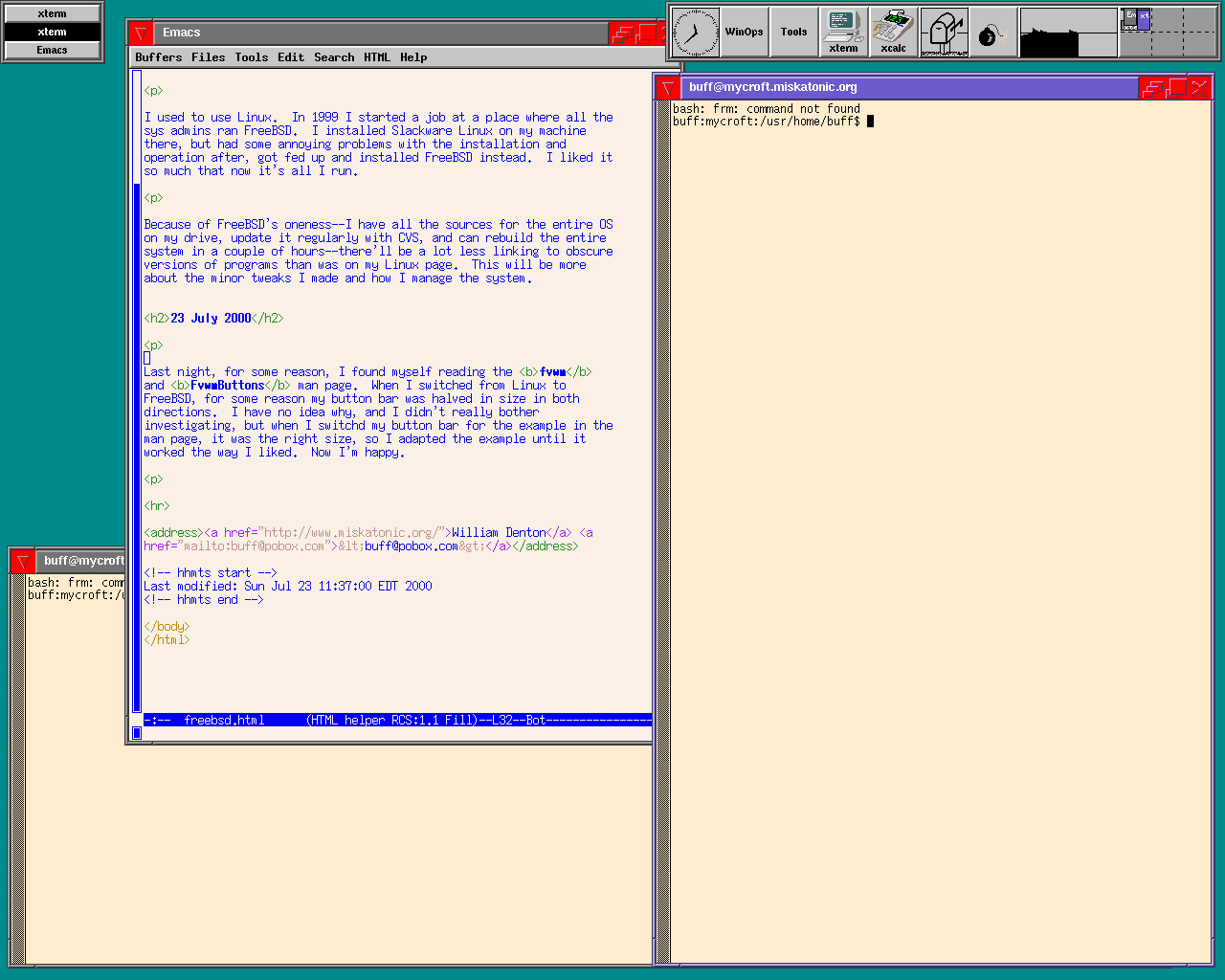
I run the SETI@home client and would like a small little monitor program that I could swallow in my button bar. I noticed seti_applet in the ports, so I installed that. It's a GNOME thing, so I had to install all of that. When I ran seti_applet, it ran all sorts of GNOME stuff, which I wasn't expecting, and since fvwm isn't compliant, I got some warnings. I got to wondering what a compliant window manager would be like, so I installed sawfish (the ports make all this so easy), but went back to good old fvwm, which I know well and which I've customized to my needs. I don't run seti_applet, but maybe when fvwm is GNOME-compliant I will.
I'm on a couple of the FreeBSD mailing lists, as should you be if you run it. On freebsd-stable a couple of weeks ago there was a big discussion about how to build worlds. I changed my procedure, and here's what I do now.
First, instead of the kernel being /kernel or /kernel.GENERIC, I have /MYCROFT and /GENERIC. In my MYCROFT config file, I added the line
makeoptions KERNEL=MYCROFT
and to /boot/loader.conf I added
kernel="/MYCROFT"
When I build a new world, I do the following:
-
cd /usr/src -
make buildworld -
make buildkernel KERNEL=MYCROFT -
make installkernel KERNEL=MYCROFT -
shutdown now(to single-user mode) -
make installworld
Then I reboot. I'm supposed to run mergemaster after installing the world, but I never do. Once the system is all rebuilt, if I want to change my kernel, I can do it the old way:
-
cd /usr/src/sys/i386/conf/ -
config MYCROFT -
cd ../../compile/MYCROFT -
make depend && make -
make install
And here, I think, it's that makeoptions line that makes sure the kernel goes in as /MYCROFT. If you wanted your kernel to be called /kernel, you could change that option, but I like having it named after the machine.
Here are some lines I added to my .Xresources file, which adjust how Netscape works. It gets rid of some of those stupid buttons and adds in a handy one for Google.
Netscape*myshopping.tipString: Google
Netscape*myshopping.documentationString: Google
Netscape*toolBar*myshopping.labelString: Google
Netscape*strings.22495:http://www.google.com/
Netscape*toolBar.destinations.isEnabled: false
Netscape*toolBar.search.isEnabled: false
!Netscape*toolBar.userCommand1.commandName:      findInObject
!Netscape*toolBar.userCommand1.labelString:      Find
!Netscape*toolBar.userCommand2.commandName:      openPage
!Netscape*toolBar.userCommand2.labelString:      File
!Netscape*toolBar.userCommand3.commandName:      openBrowser
!Netscape*toolBar.userCommand3.labelString:      Open
I'm not sure why I have that commented-out stuff, but I'm sure it's good to have around. I look forward to the day when there's a decent web browser for X.